CONTROL
Controlled tempo emphasis with deliberate loading, position and return.
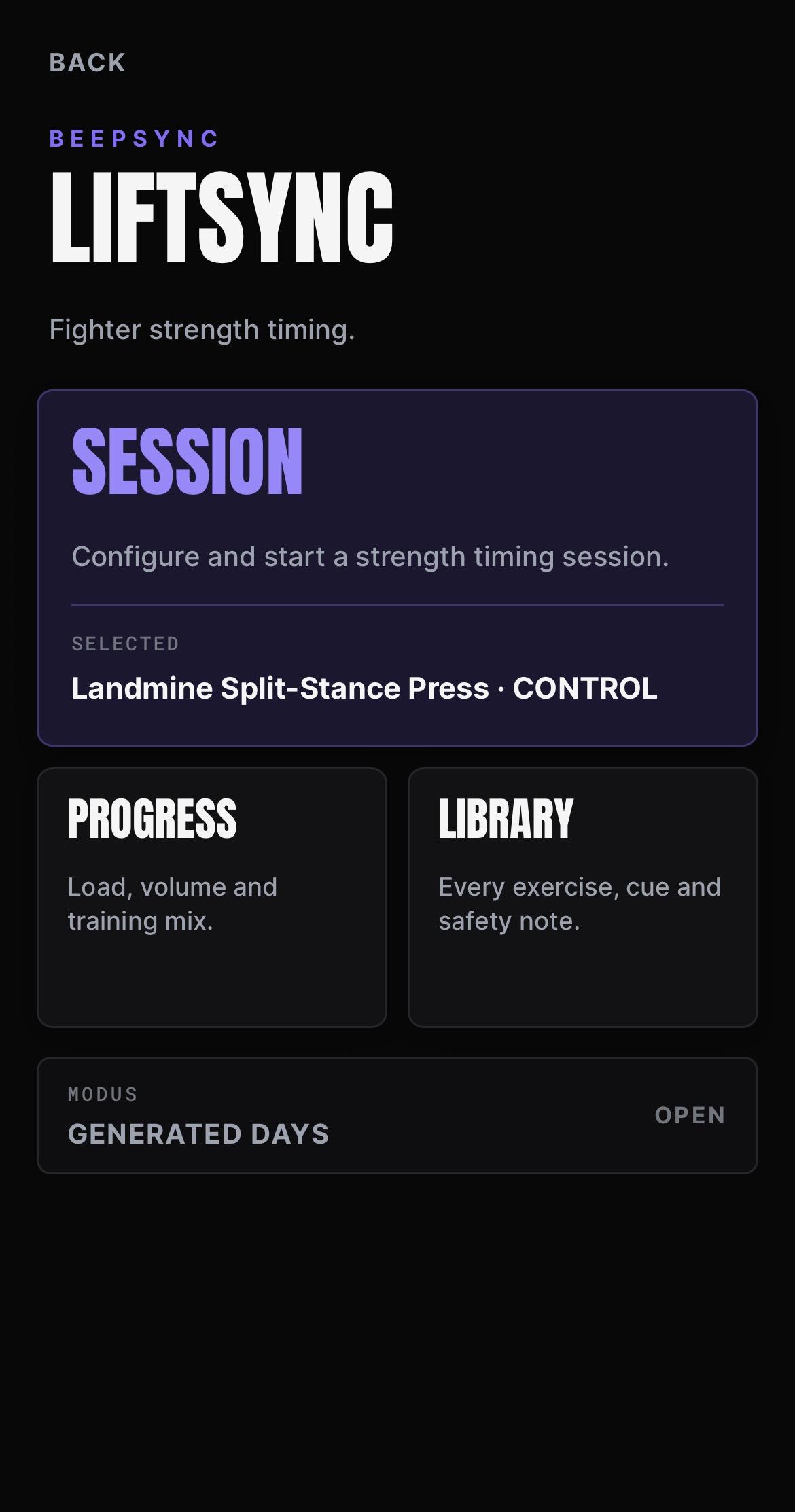
BEEPSYNC ELITE
Fighter strength timing.
LIFTSYNC guides accessory strength work through authored tempo profiles, structured lift phases and clean timing cues built for combat athletes.
LIFTSYNC runs the rhythm of accessory strength work so repetitions follow the authored cadence instead of relying on guesswork.
Each repetition is guided on screen through its movement phases — lower, hold, drive and reset — with clean beep cues carrying the timing so the work stays repeatable from the first set to the last.
Every valid exercise and preset pairing resolves to an authored timing profile. If a pairing has not been authored, it is not offered. Nothing is generated to fill a gap.
This is accessory strength work for combat athletes. It is not a general gym logger, a rep counter or a bodybuilding programme.
The preset sets the character of the repetition. Same movement, different demand.
Controlled tempo emphasis with deliberate loading, position and return.
Extended static control before the working drive.
Fast intent with sharp acceleration and tight timing.
Longer tension exposure with slower transitions and fatigue control.
Long isometric effort with silent reset windows between repetitions.
Which presets are available depends on the exercise. Only pairings with an authored profile are offered.
Five steps, in the same order every time, so the session stays predictable and the record stays comparable.
The console always shows which phase the session is in, so you never have to guess whether to move.
Twenty-eight authored exercises across eight equipment categories, with 113 authored timing profiles between them.
Landmine
3 exercises
Cable
6 exercises
Smith Machine
4 exercises
Dumbbell
9 exercises
Kettlebell
2 exercises
Band
1 exercise
Barbell
2 exercises
Bodyweight
1 exercise
The library covers accessory work such as the Landmine Rotational Press, Cable Pallof Press, Smith Romanian Deadlift and Bulgarian Split Squat, with setup guidance, the main cue, a common mistake and safety notes attached to each movement.
Every exercise and preset pairing that appears has been authored deliberately. Pairings that have not been authored simply are not shown.
Build a multi-exercise strength session while each block keeps its own authored timing and setup.
LIFTSYNC estimates the session length before you start.
Every logged load is plotted in order, up to the last thirty entries, with your best load and best volume marked.
System Rings give a rolling seven-day view of your push, pull and base work, showing which system is carrying the load and which is being left behind.
Global stats sit alongside them, counting the sessions you have actually completed.
This is a record of what you logged, not an estimate of what you can lift. LIFTSYNC does not calculate a one-rep max and does not invent a personal-best score.
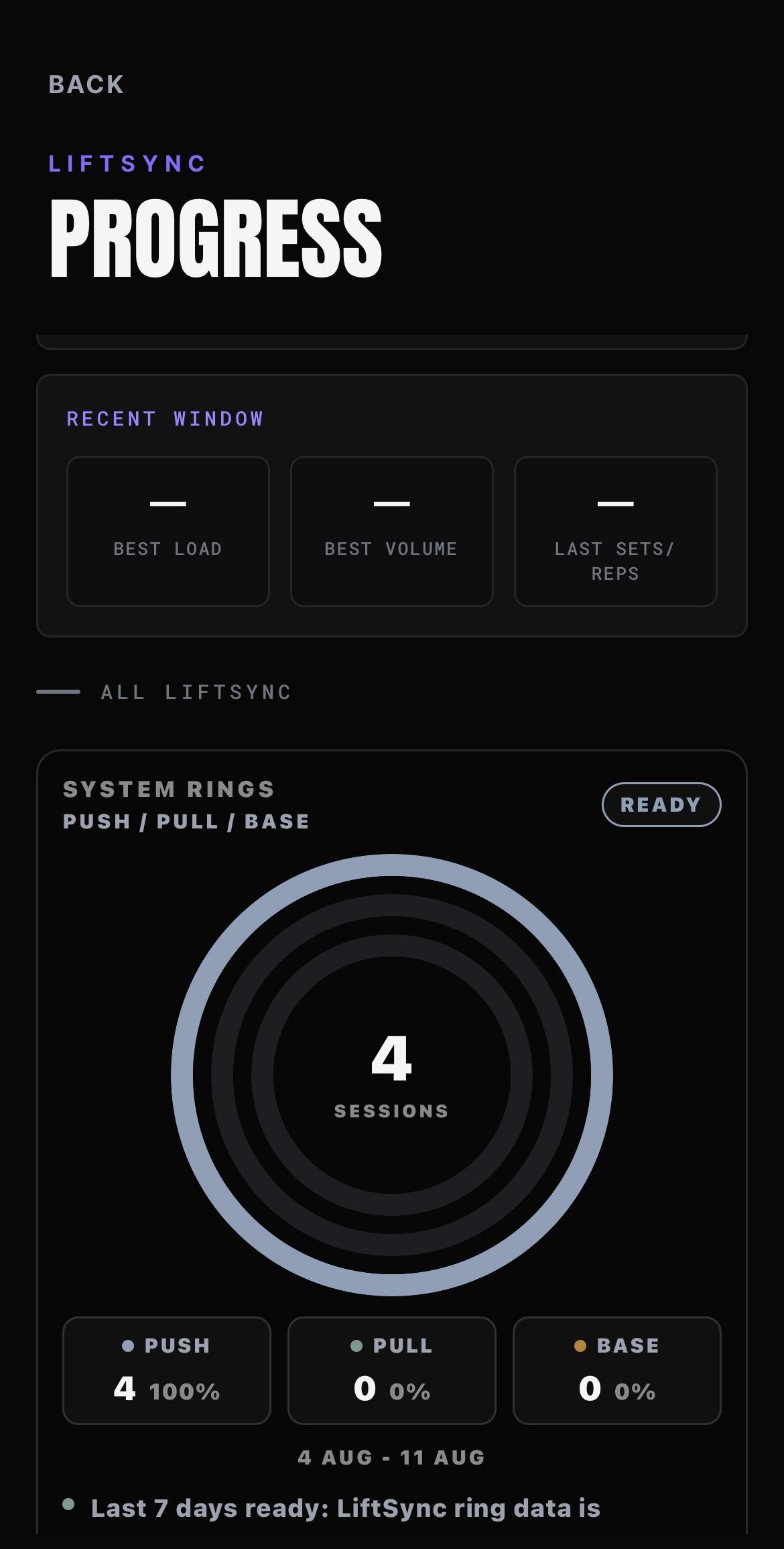
LIFTSYNC only shows what it has been given. Where there is no authored content and no logged work, it shows nothing rather than filling the gap.
SAFETY
LIFTSYNC asks how you are before you lift and how it went afterwards. Energy, tightness and joint caution are recorded at check-in. RPE, tempo control and joint response are recorded at check-out.
That record is used. Where recent joint feedback or recent training frequency suggests LIFTSYNC is not the right choice, it will not be put forward as a suggestion.
Stop immediately if any movement causes pain. Joint discomfort is a stop signal. Precision beats speed.
A closer look at LIFTSYNC, from session setup and check-in through to the execution console, progression evidence and the exercise library.
Start a session, review progression, or open the exercise library.
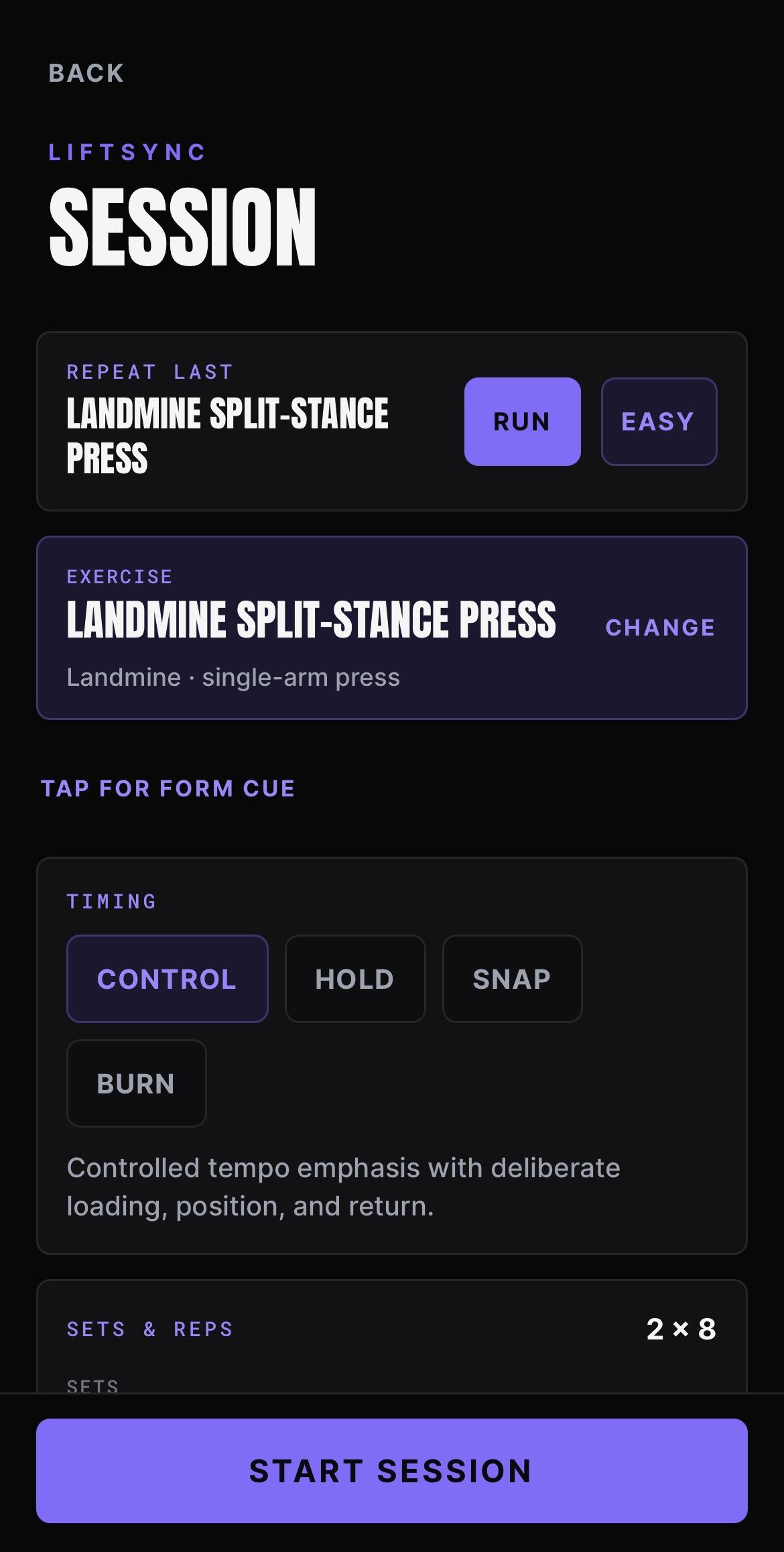
Choose the exercise, pick the timing preset, then set sets, reps, rest and countdown.
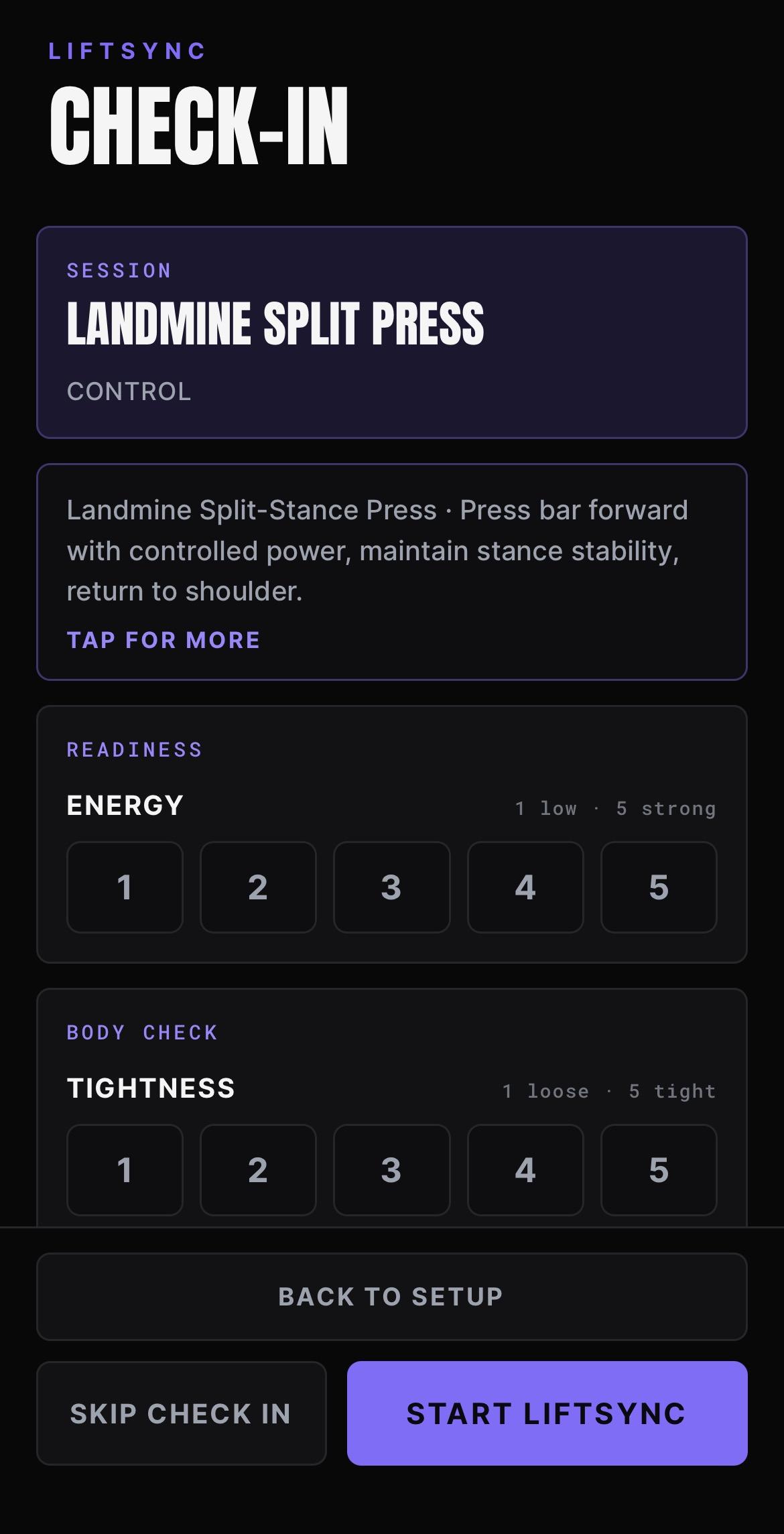
Energy, tightness and joint state are recorded before the first rep.
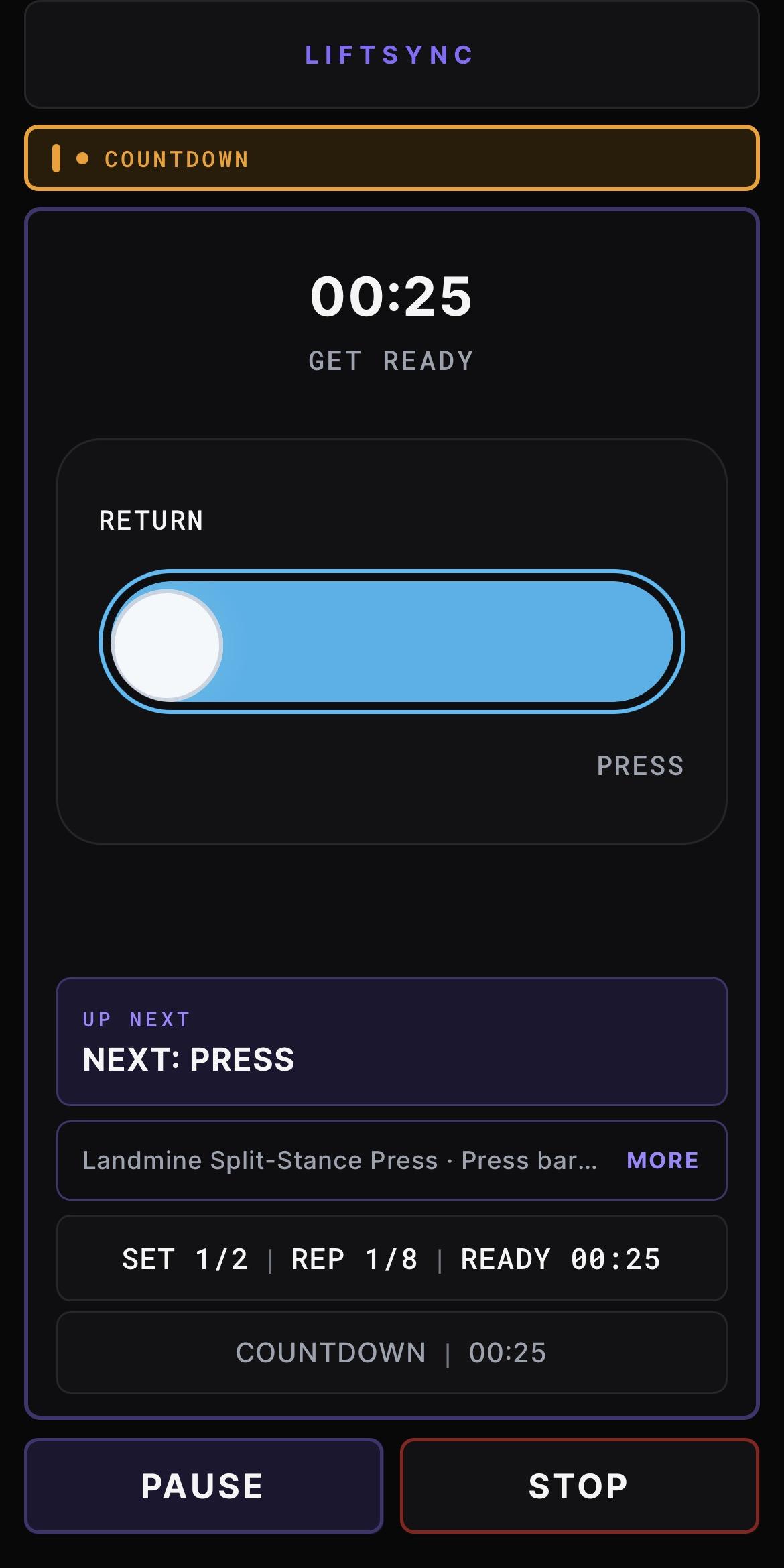
The get-ready phase counts in, with the tempo bar and the next movement phase already showing.
A rolling seven-day push, pull and base mix shows which system is carrying the work and which is being left behind.
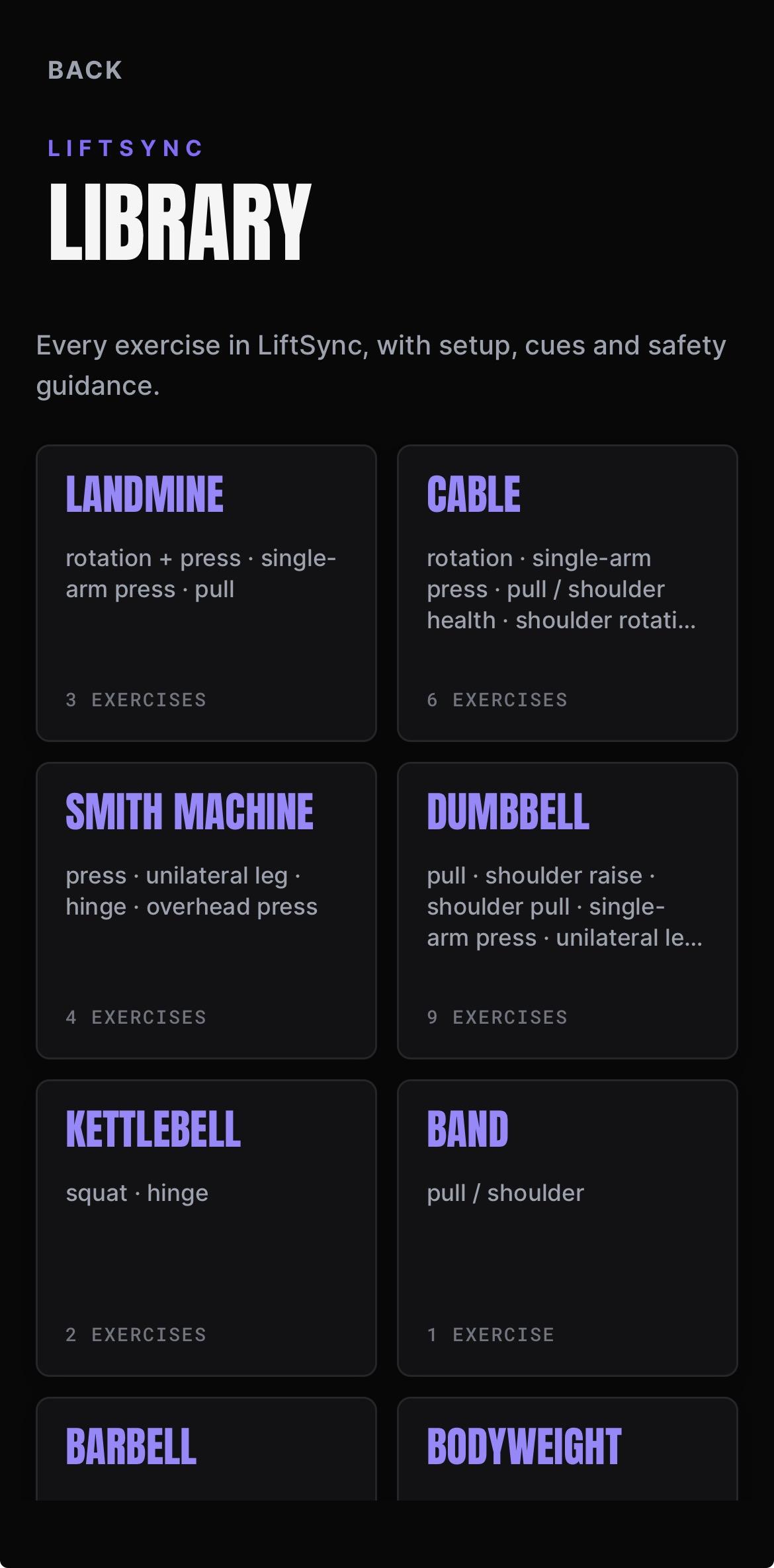
Eight equipment categories covering every authored LIFTSYNC exercise.
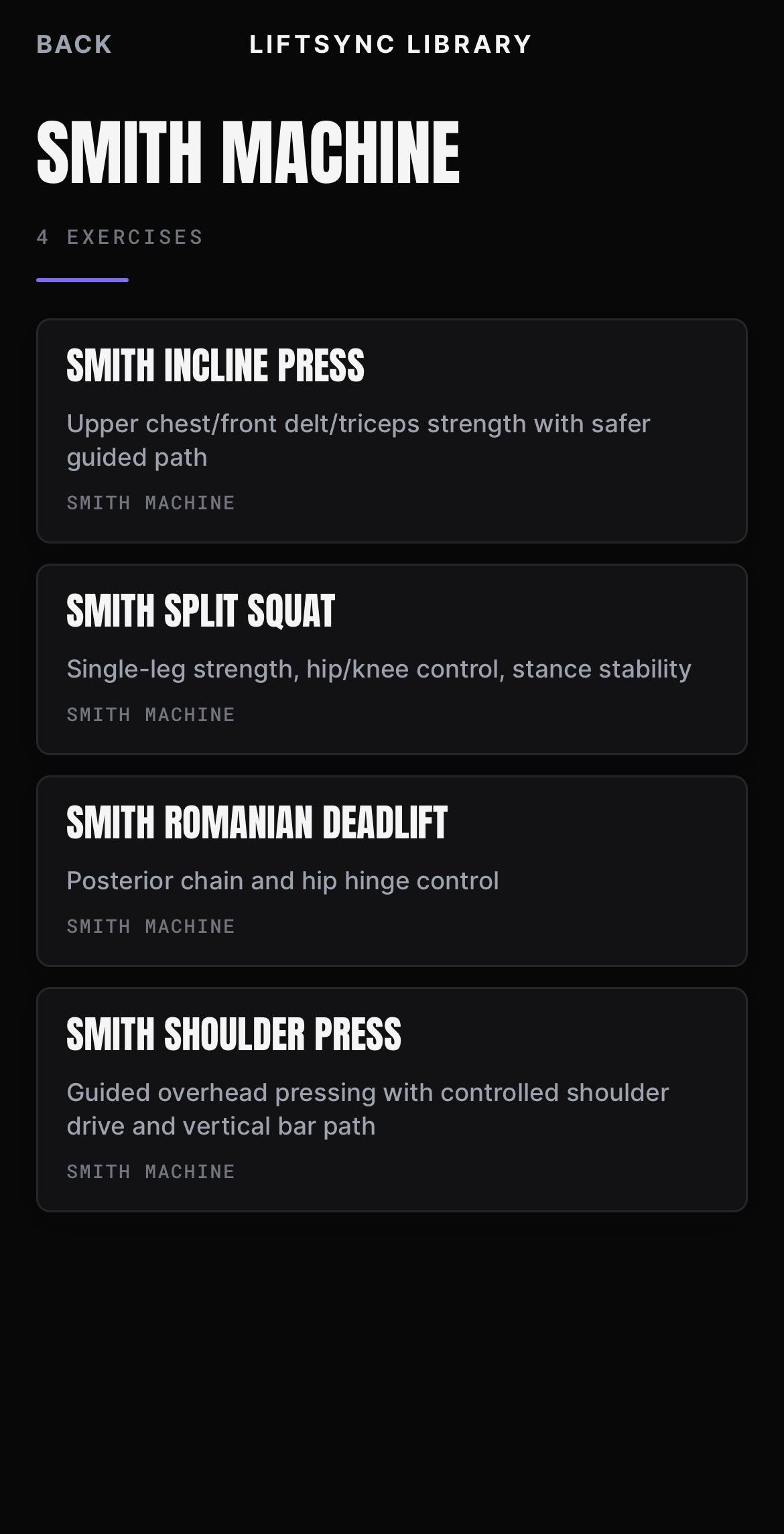
Open a category to see the movements authored inside it.
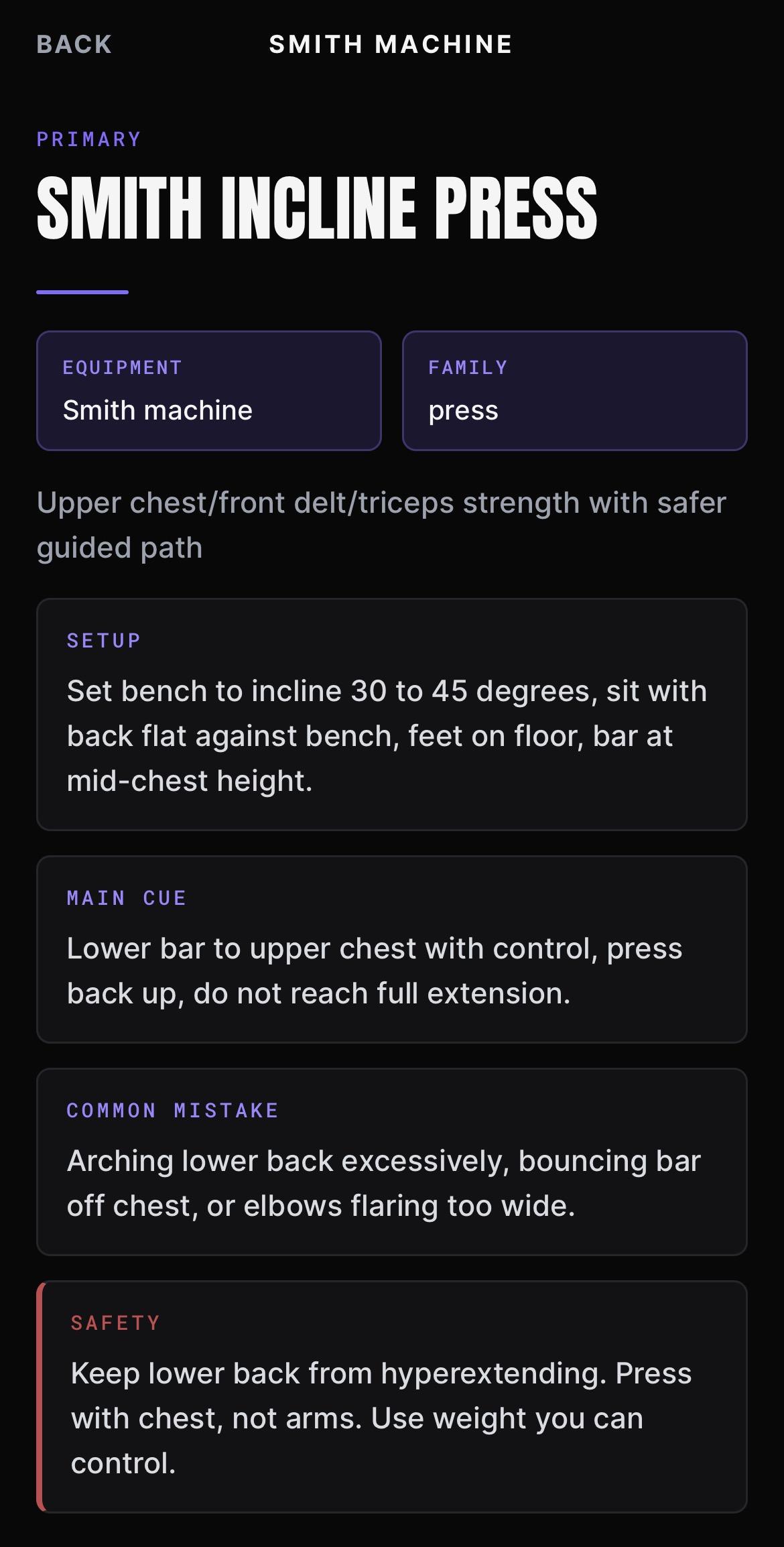
Setup, main cue, common mistake and safety notes for each movement.
LIFTSYNC is not a separate app bolted on. Completed sessions become part of the same Elite record as the rest of your work.
Completed LIFTSYNC sessions feed MODUS load and reliability tracking. Once there is enough seven-day System Rings history, MODUS can generate a LIFTSYNC day from what your own training mix shows.
LIFTSYNC sessions contribute to Elite progression history alongside your other work.
LIFTSYNC sessions can sit inside a camp.
Coaches can include LIFTSYNC work in a plan.
BeepSync LIFTSYNC is included with BeepSync Elite.