BEEPSYNC ELITE / MODUS OS
MODUS OS
BeepSync's custom-built operating system for combat training.
MODUS works from the training you actually complete. Sessions, check-ins, progression and recent work become evidence it can use to build a clearer read of your training and give the work ahead a direction.
Your training should not start from zero every time.
What MODUS OS is
BEEPSYNC’S CUSTOM-BUILT OPERATING SYSTEM FOR COMBAT TRAINING.
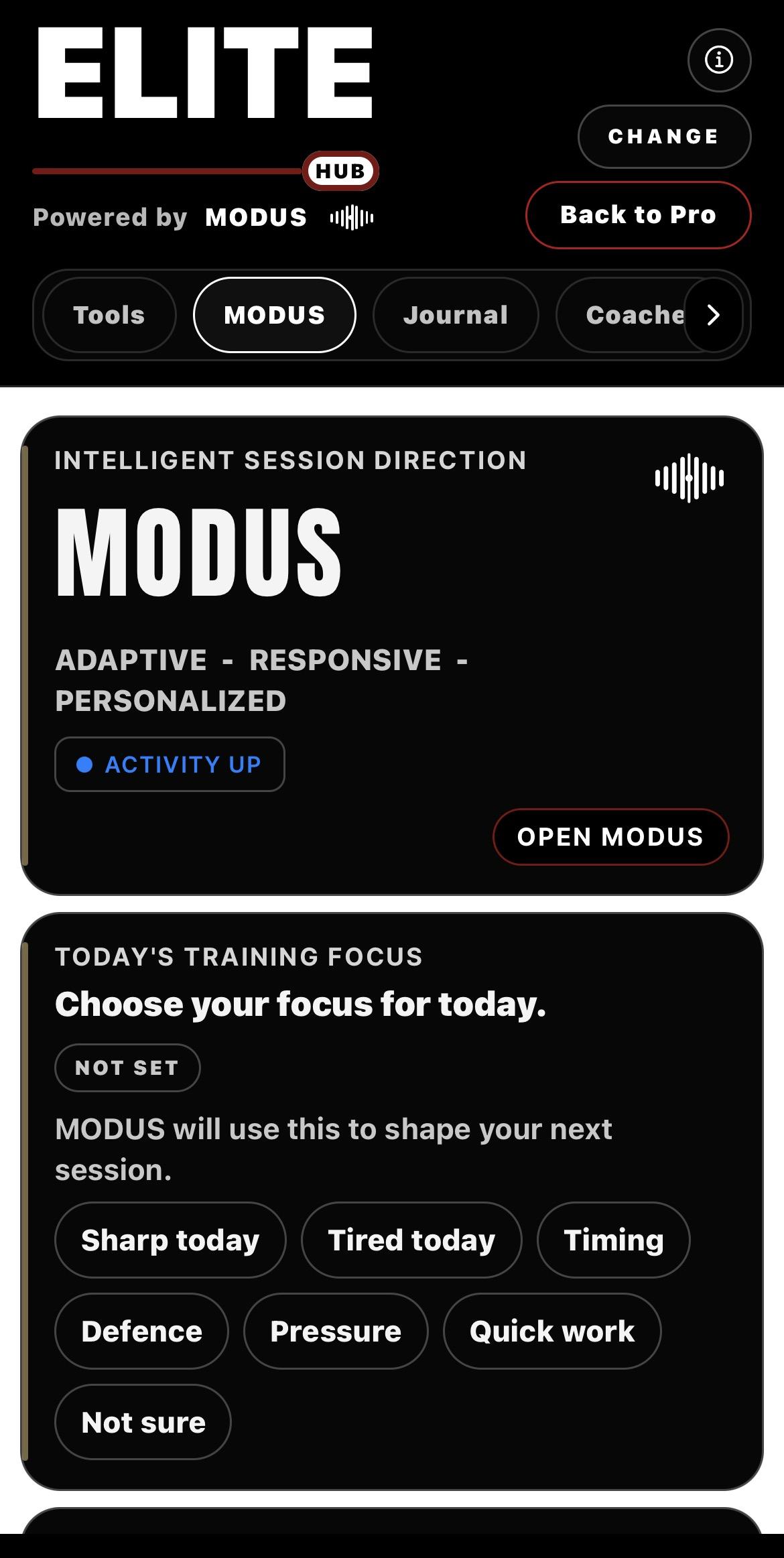
MODUS OS sits at the heart of BeepSync Elite, connecting your completed sessions, check-ins, progression, recent work and skill development into one continuous training system.
Every session adds to the picture. MODUS reads that evidence, works out what comes next and issues the next useful training command based on the work you have already done.
Instead of treating every workout as a fresh start, MODUS builds continuity — turning individual sessions into an ongoing cycle of work, evidence, read and command.
Powered by Helix Core. Built for BeepSync. Built for combat training.
MODUS OS
The part athletes use: MODUS reads the BeepSync work it has enough context for and returns clearer training direction.
HELIX Core
The BeepSync architecture underneath MODUS. It keeps training evidence organised and available when MODUS has enough context to use it.
THE MODUS LOOP
You train. BeepSync records the work. MODUS uses the evidence available to understand what has been happening across your training and shape what comes next. Complete more useful work and the system has more to work from.
One session becomes part of a longer training record.
MODUS OS / SYSTEM ARCHITECTURE 01
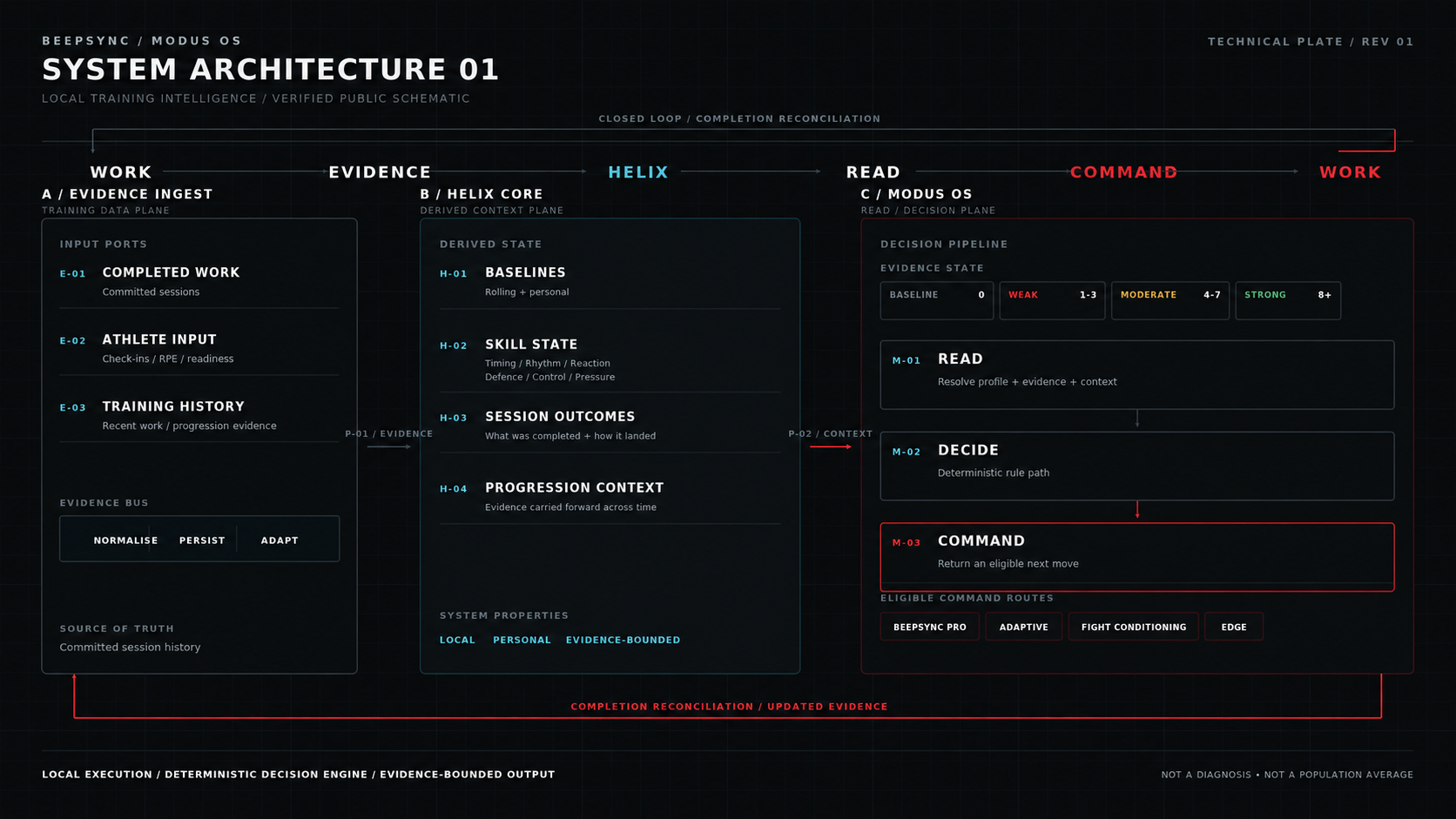
Swipe sideways to explore the full technical plate.
WHAT MODUS READS
MODUS works from BeepSync evidence - not assumptions about training it has never seen.
Completed sessions
Effort checks
Session history
Progress across skill lanes
Recent training
Camp work where relevant
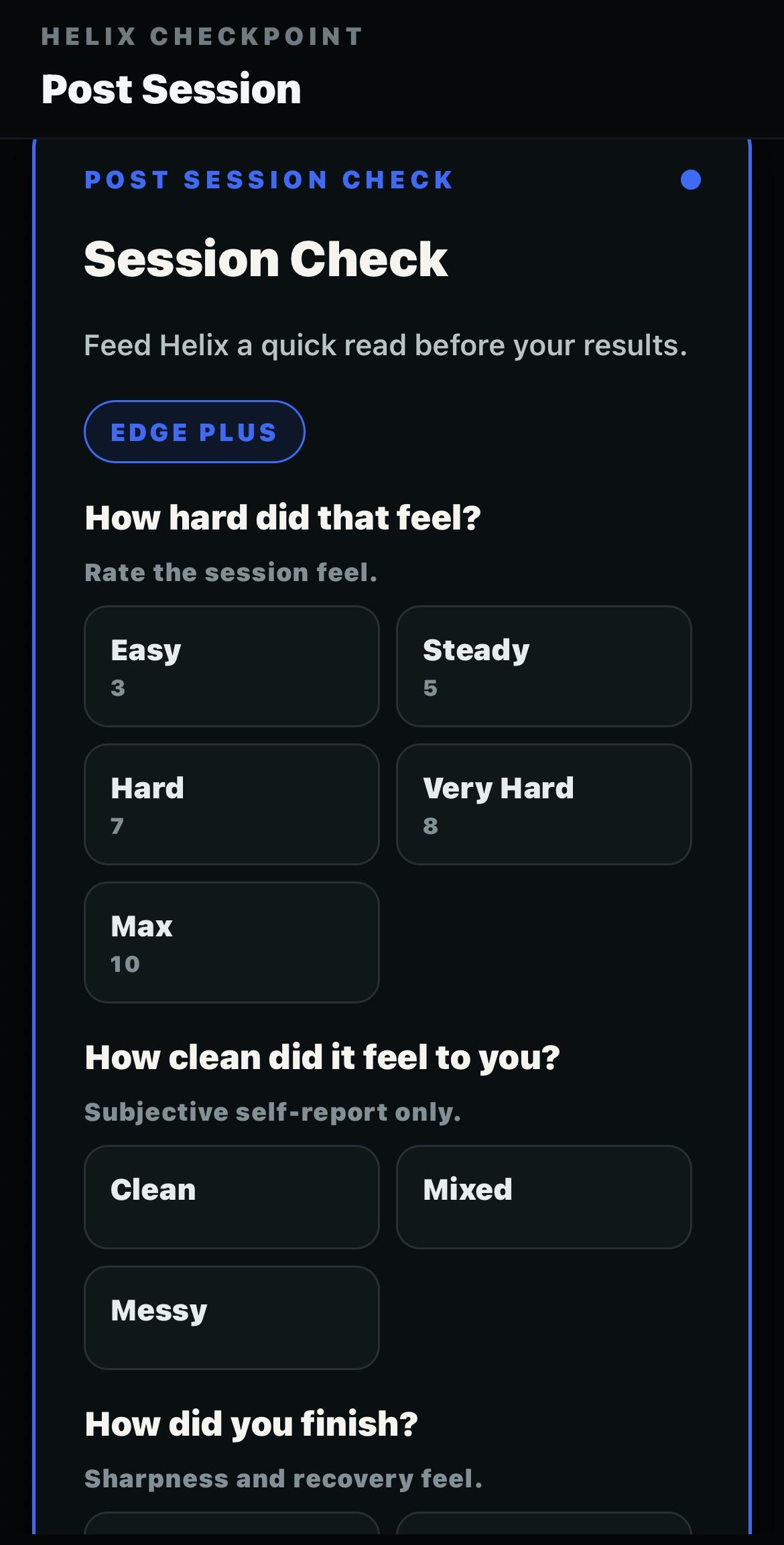
Post session checks
Device metrics you enter
It does not pretend to know what it has not seen.
Smartwatch and fitness tracker data
Optional. If your smartwatch or fitness tracker shows sleep, heart-rate or recovery figures, you can type them into the pre-session and post-session checks. BeepSync does not connect to your watch or read it automatically. MODUS uses what you enter alongside completed rounds and effort check-ins, giving it more to work from when it reads effort, recovery and progression. The figures stay on your device.
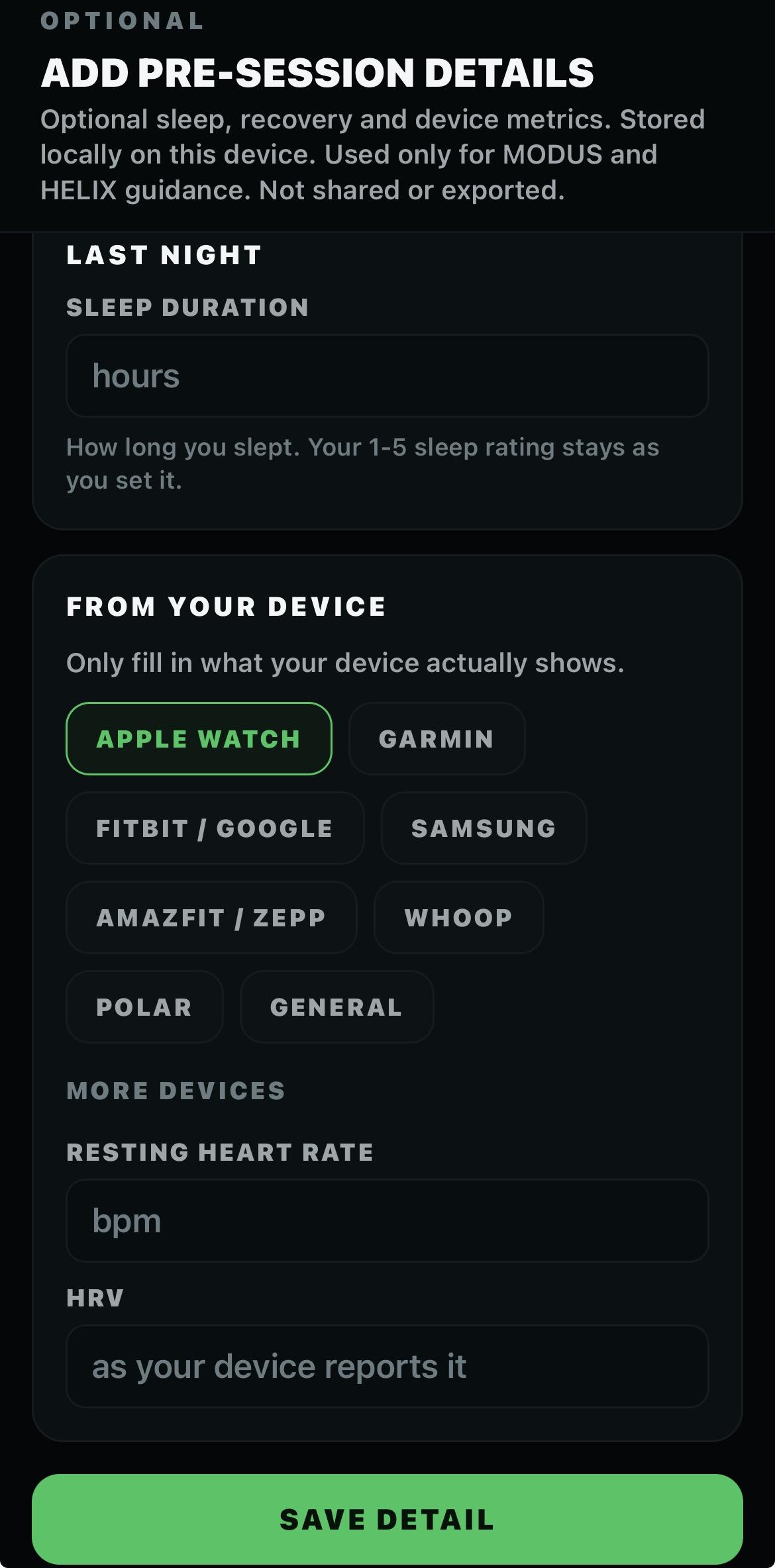
Pre-session check
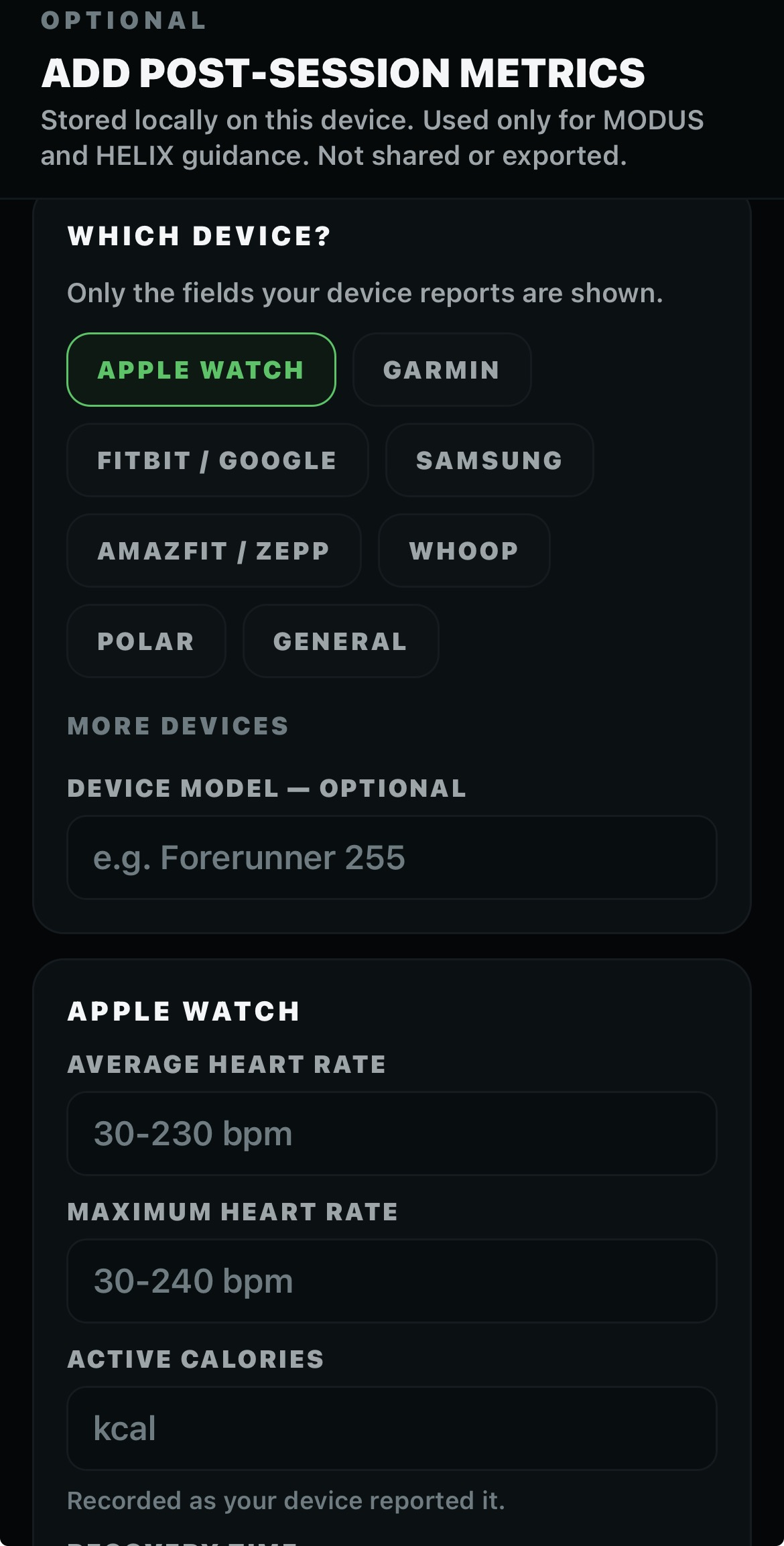
Post-session check
THE READ
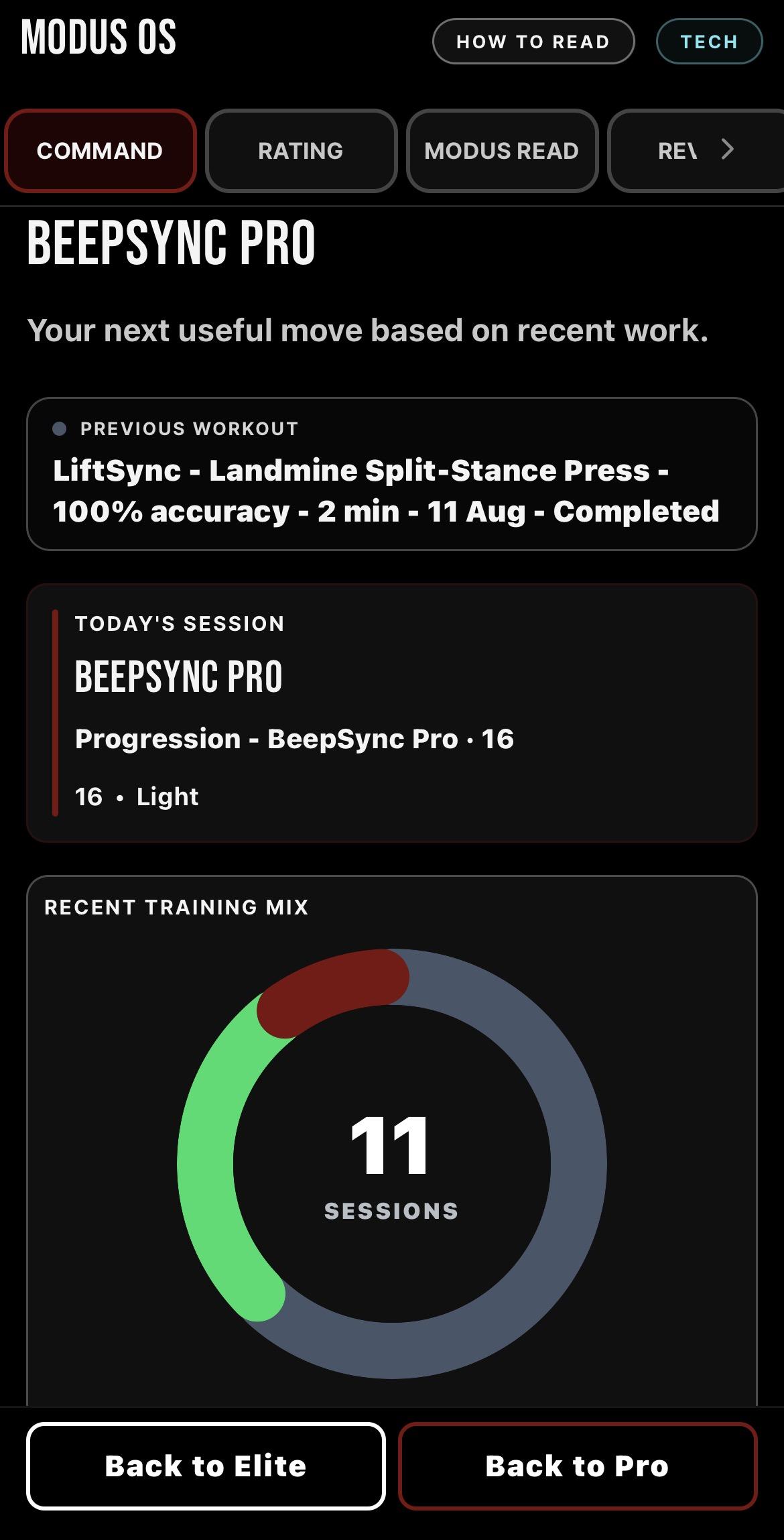
Evidence is only useful if it leads somewhere. MODUS turns the training context it has into a readable explanation of where the work sits and why a particular direction makes sense.
The read gives context for the command: why this, what it is based on, what it builds, and whether MODUS has enough evidence to say more.
Not just what to do. Context for why.
MODUS OS / SYSTEM ARCHITECTURE 02
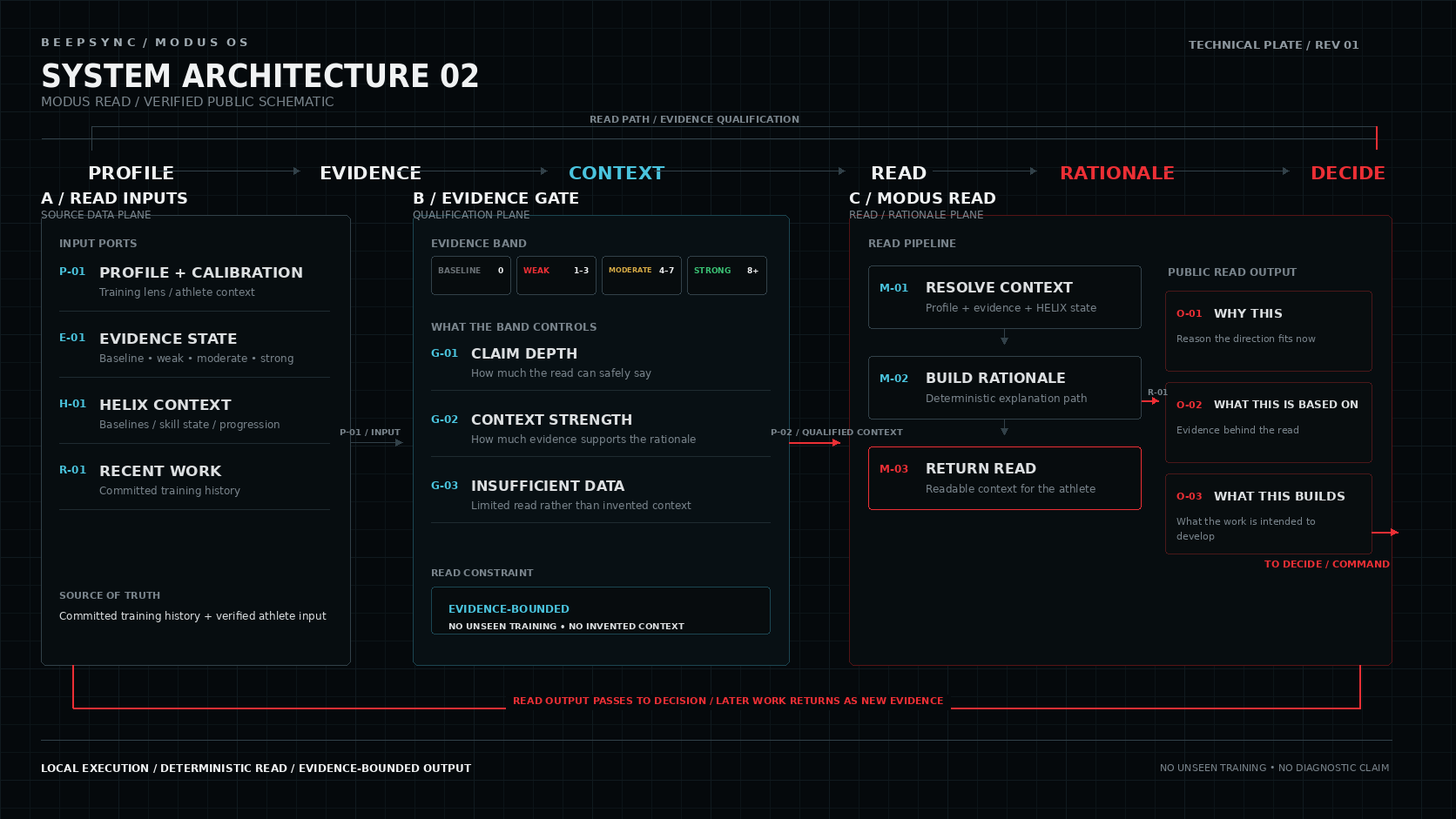
Swipe sideways to explore the full technical plate.
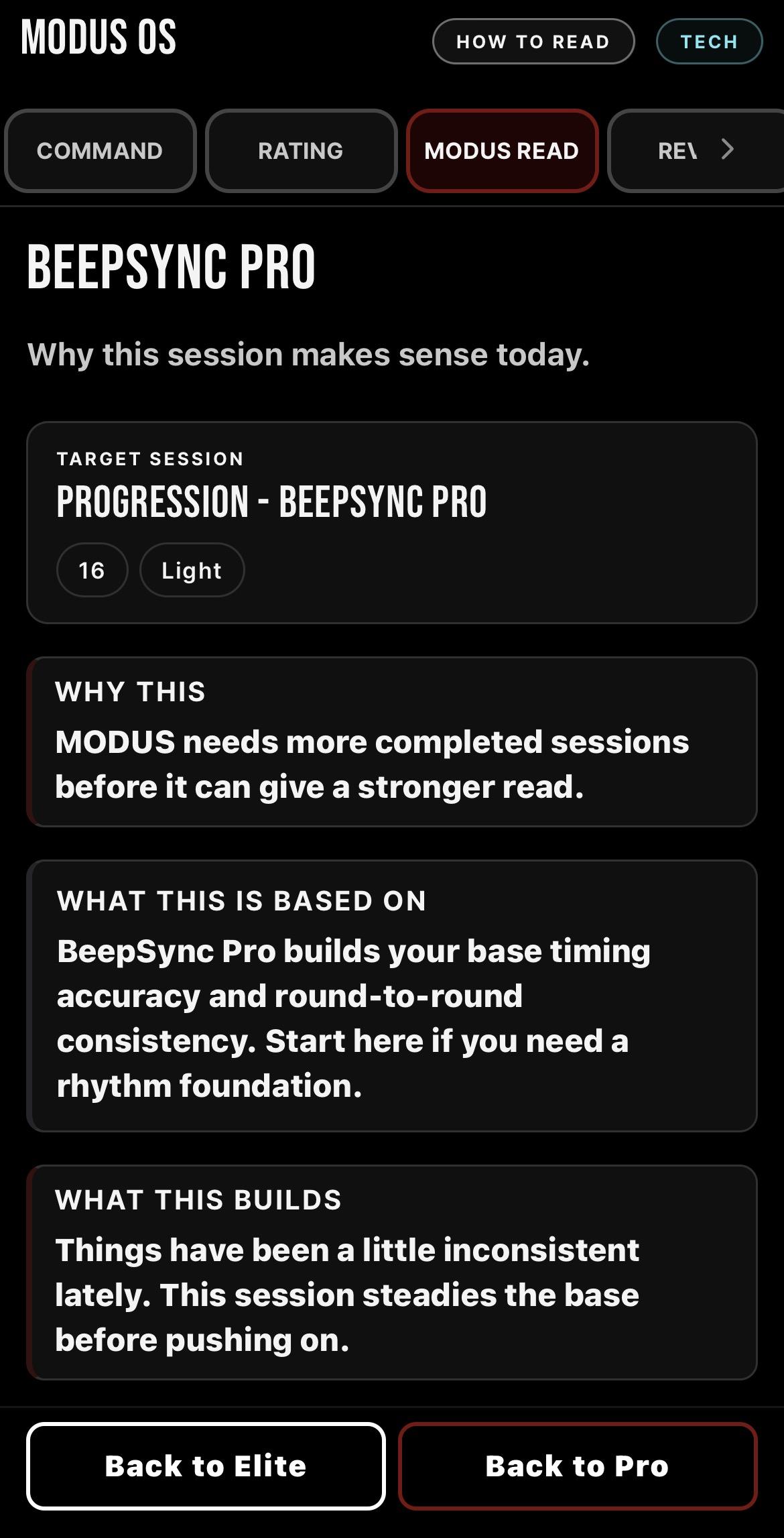
MODUS Read
TRAINING BUILDS A PROFILE
MODUS does not compare your training against a generic fighter profile. Your completed work builds your own developing picture across the areas BeepSync tracks. Not a population average. Yours.
Timing
Rhythm
Cue Recall
Defence
Footwork
Pressure
MODUS OS / SYSTEM ARCHITECTURE 03
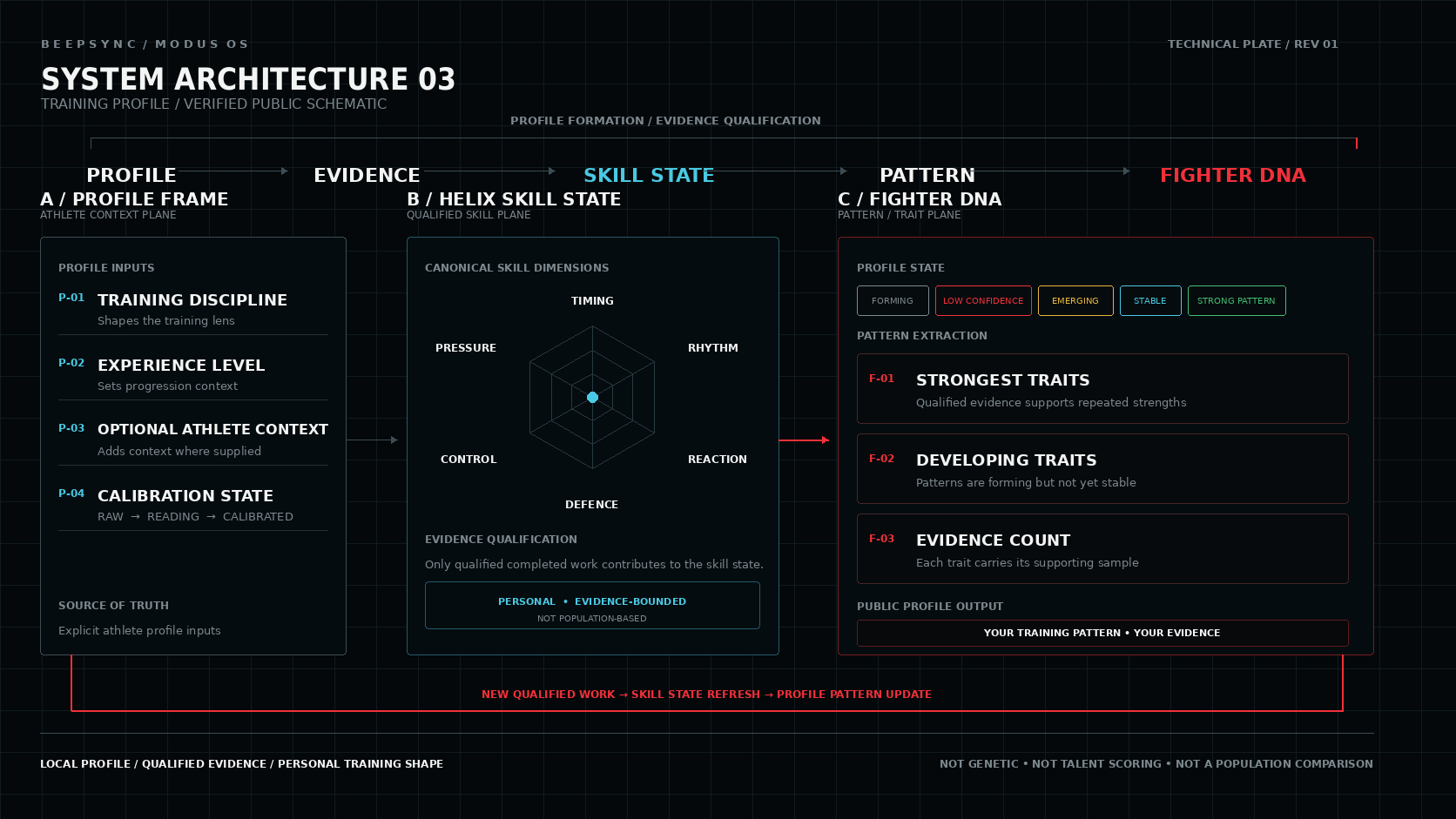
Swipe sideways to explore the full technical plate.
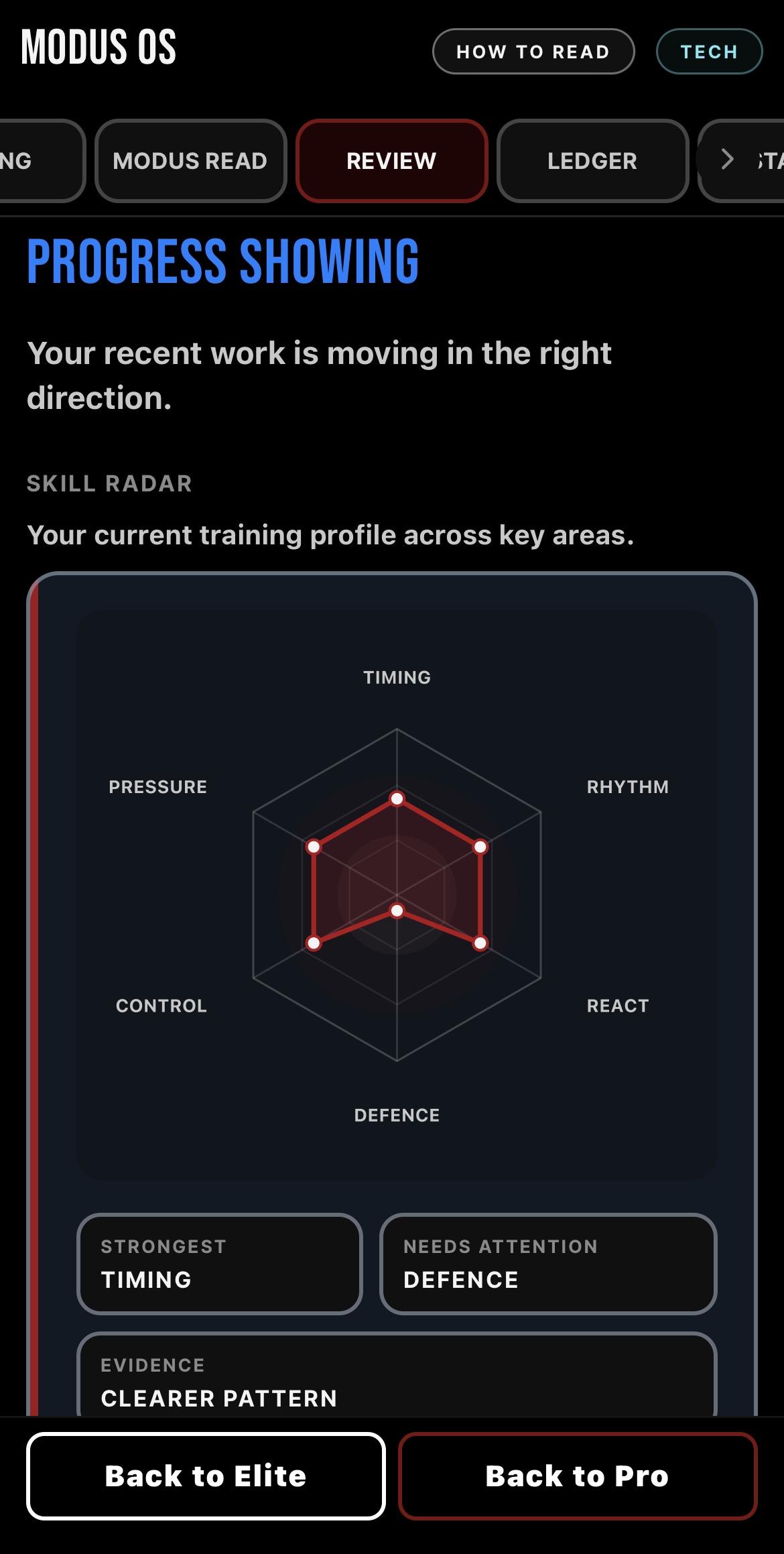
Skill Radar / Review
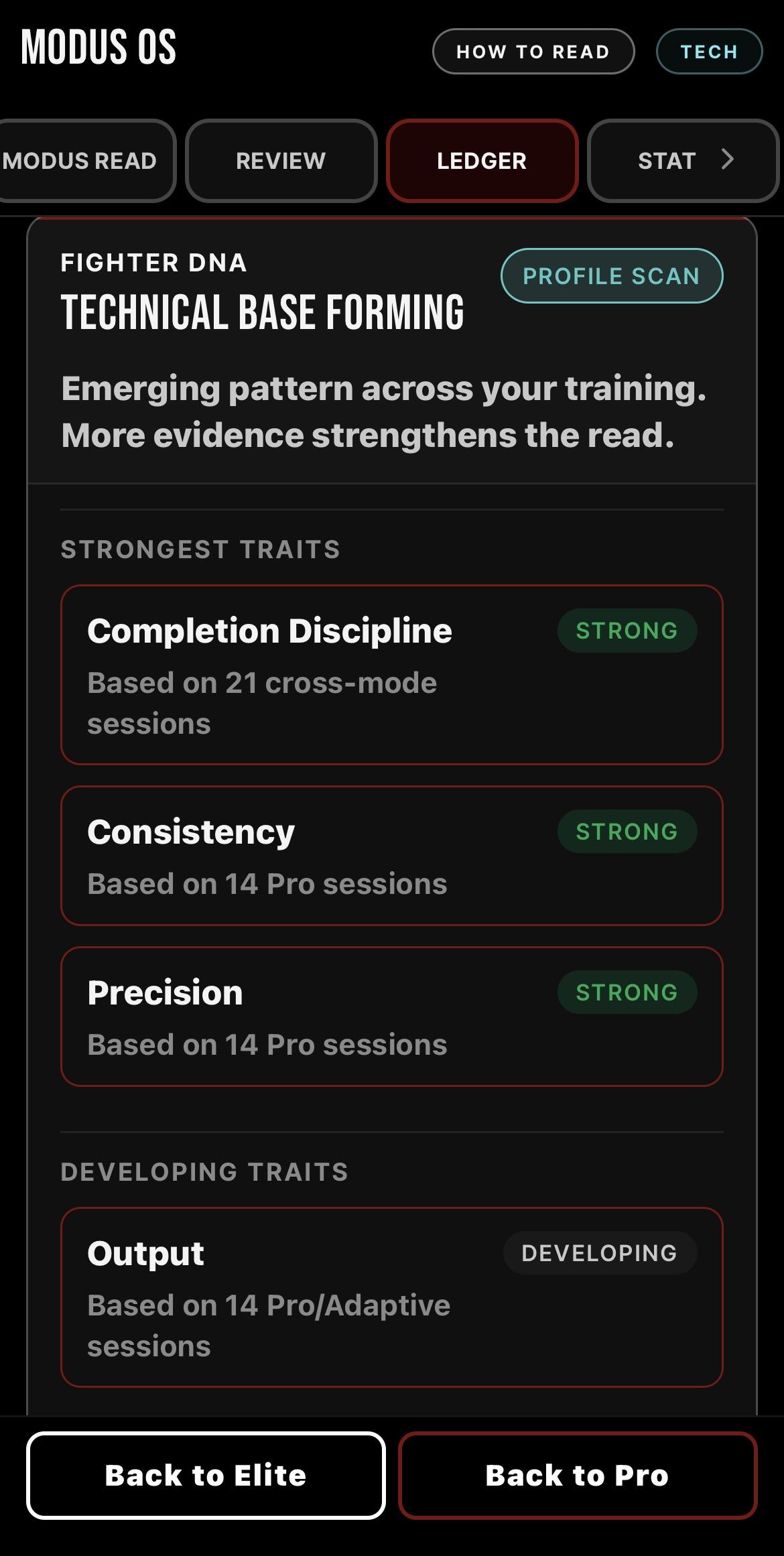
Fighter DNA
PROGRESSION THAT CARRIES FORWARD
MODUS REPORT turns completed work into a longer view of your training. See what you have been doing, what has changed, where the current block sits and what deserves attention next.
MODUS OS / SYSTEM ARCHITECTURE 04
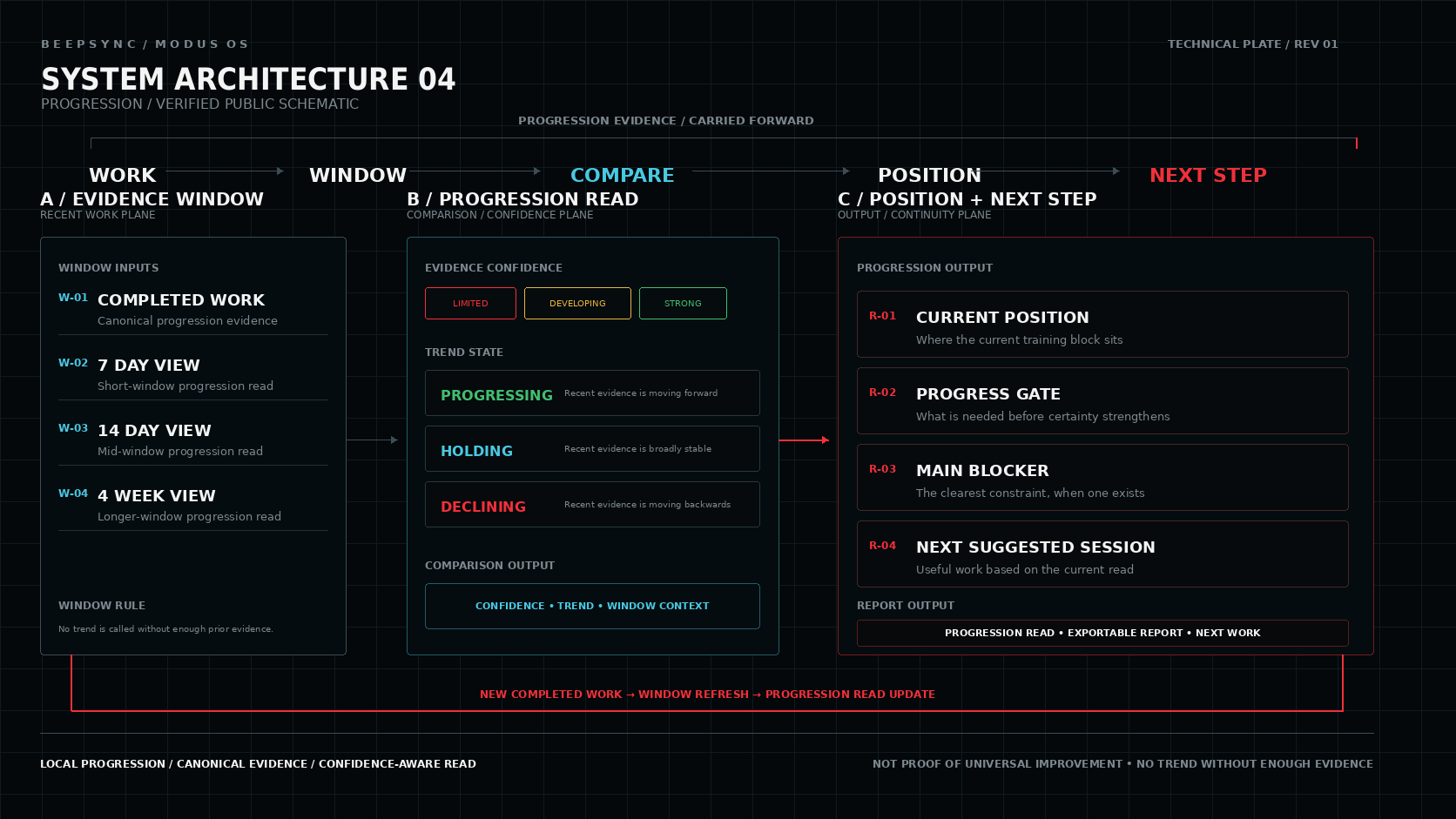
Swipe sideways to explore the full technical plate.
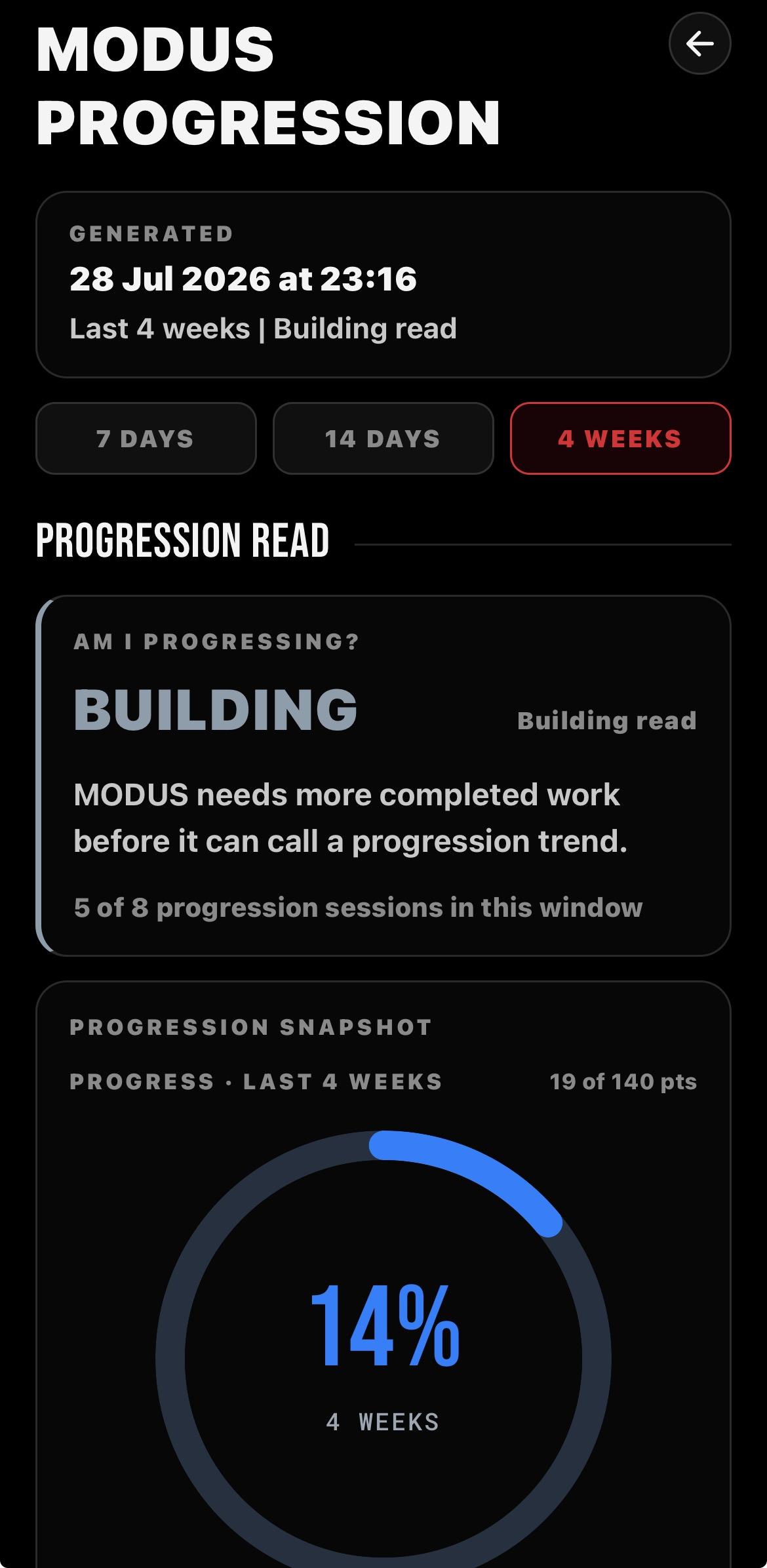
Progression read
Pick a 7 day, 14 day or 4 week window and see whether MODUS can call a trend yet.
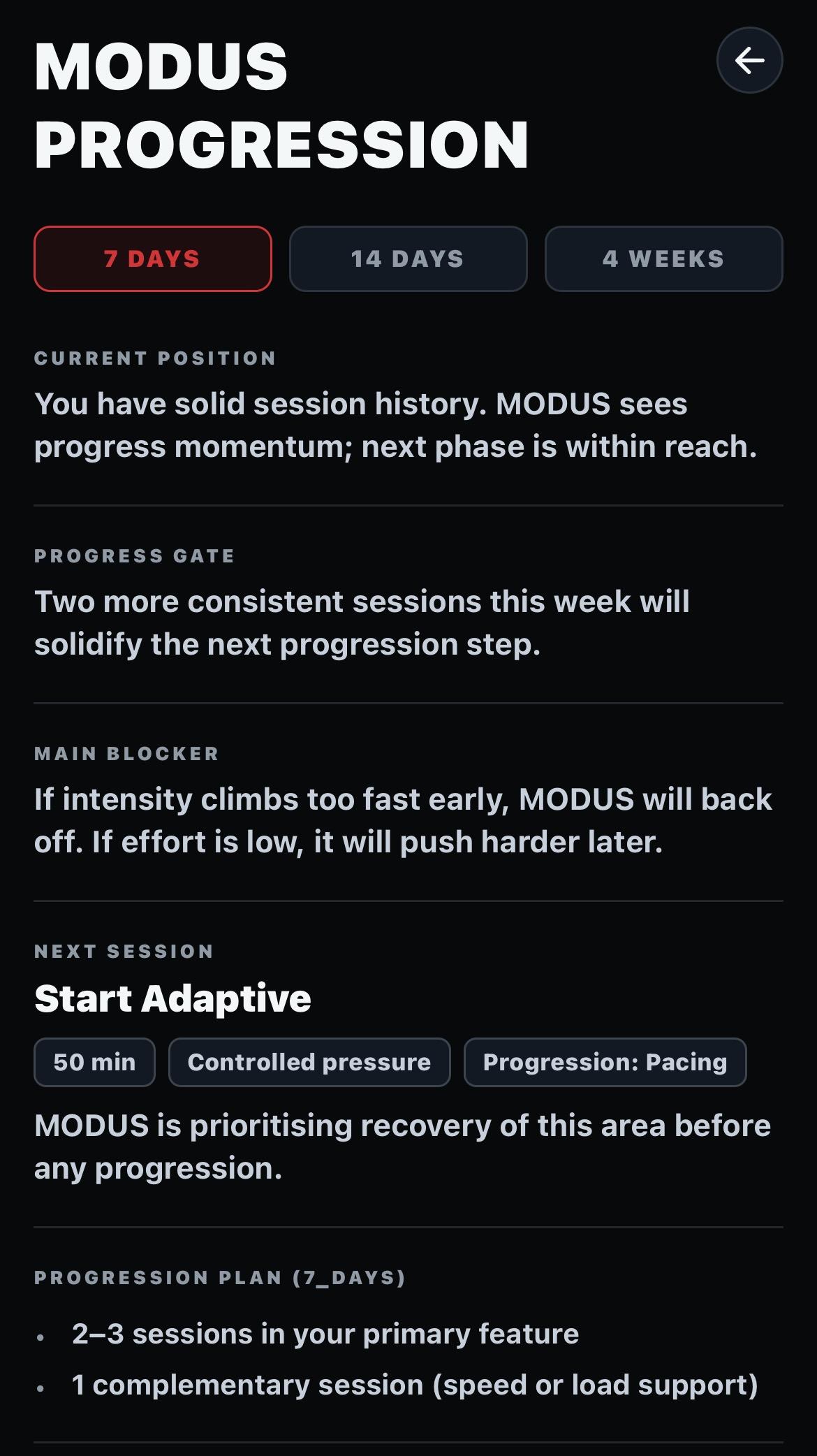
What to do next
Current position, the gate to the next step and the session MODUS suggests you run.
REPORT EXPORT
Save your progression report as a PDF for your own records or share it with your coach when you choose.
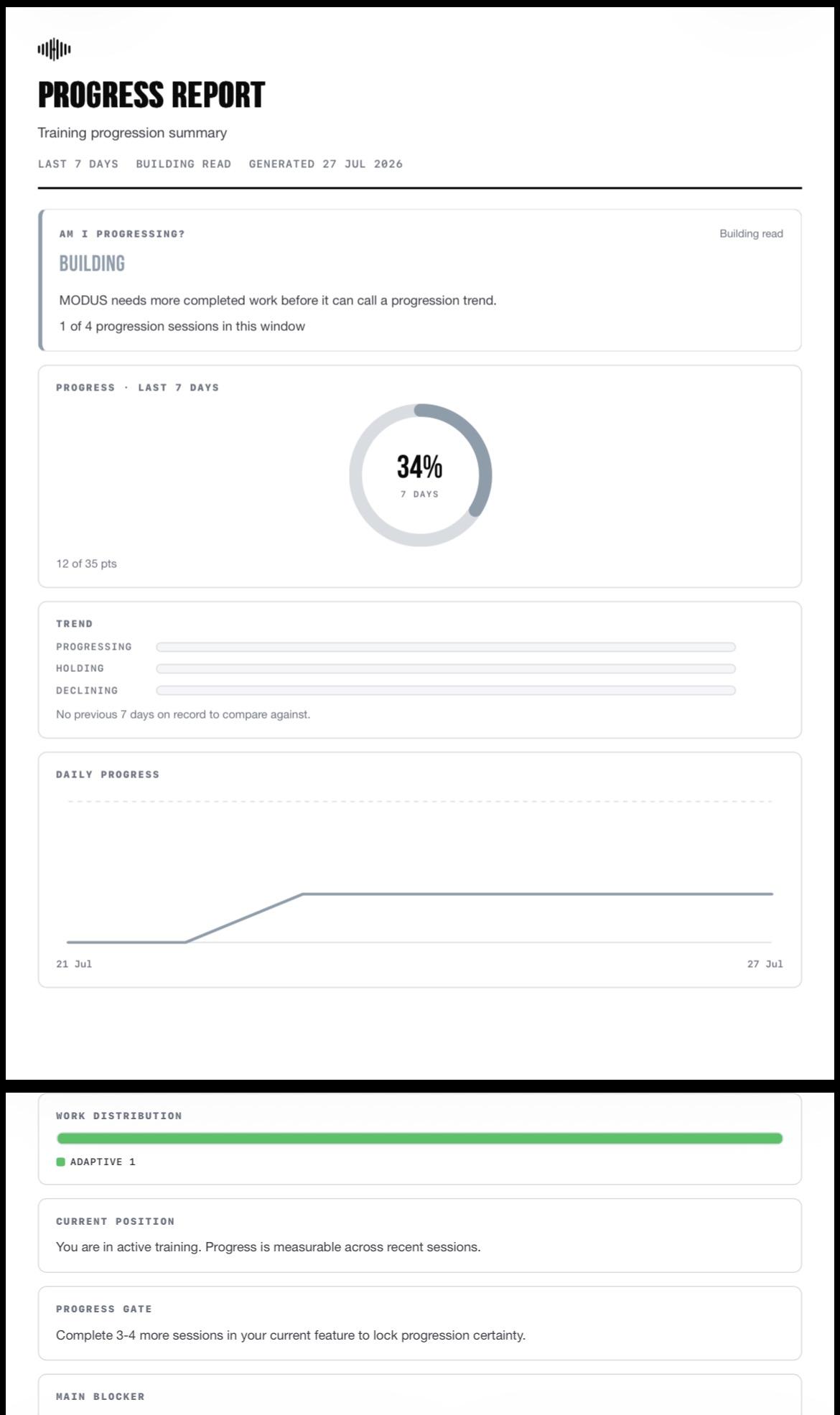
Export as PDF
POWERED BY HELIX CORE
Helix Core is the BeepSync architecture underneath MODUS - the layer that keeps training evidence structured and available for the system to work from. MODUS is where that information becomes useful to the athlete.
Helix does not diagnose fatigue, measure punch power or replace coaching. It keeps BeepSync training evidence organised, and it does not create access to data BeepSync has not been given.
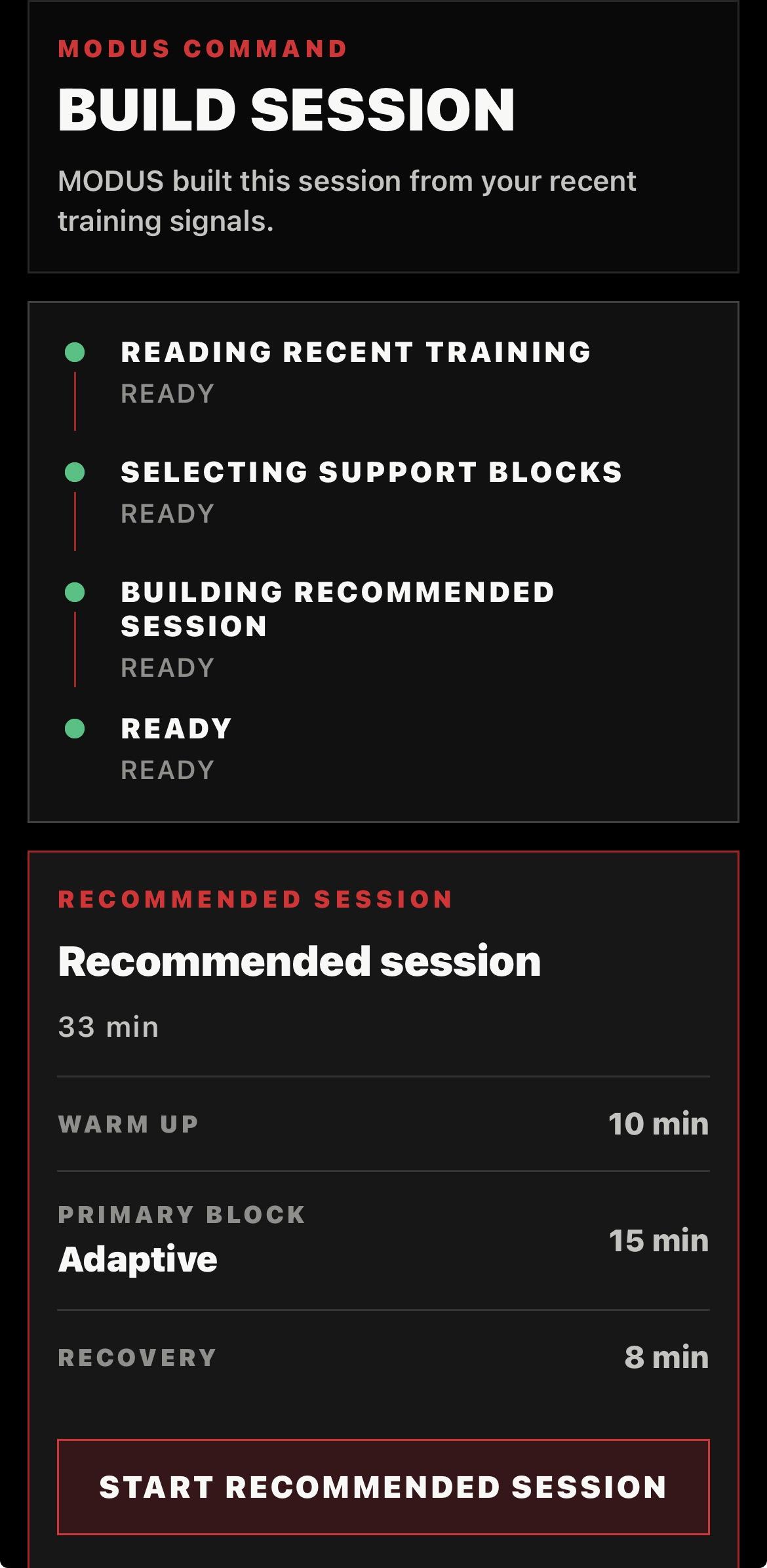
THE NEXT COMMAND HAS CONTEXT
Recent training, completed work and the evidence available to MODUS help keep recommendations connected to what you have actually been doing. More useful evidence creates a clearer training picture.
INTELLIGENCE WITHOUT PRETENDING
MODUS gets more useful the more you train. Early sessions build a baseline. Later sessions give it more to work with. If you only train twice, it will not know much yet. It does not pretend to know what it has not seen. That is honest. Not a bug.
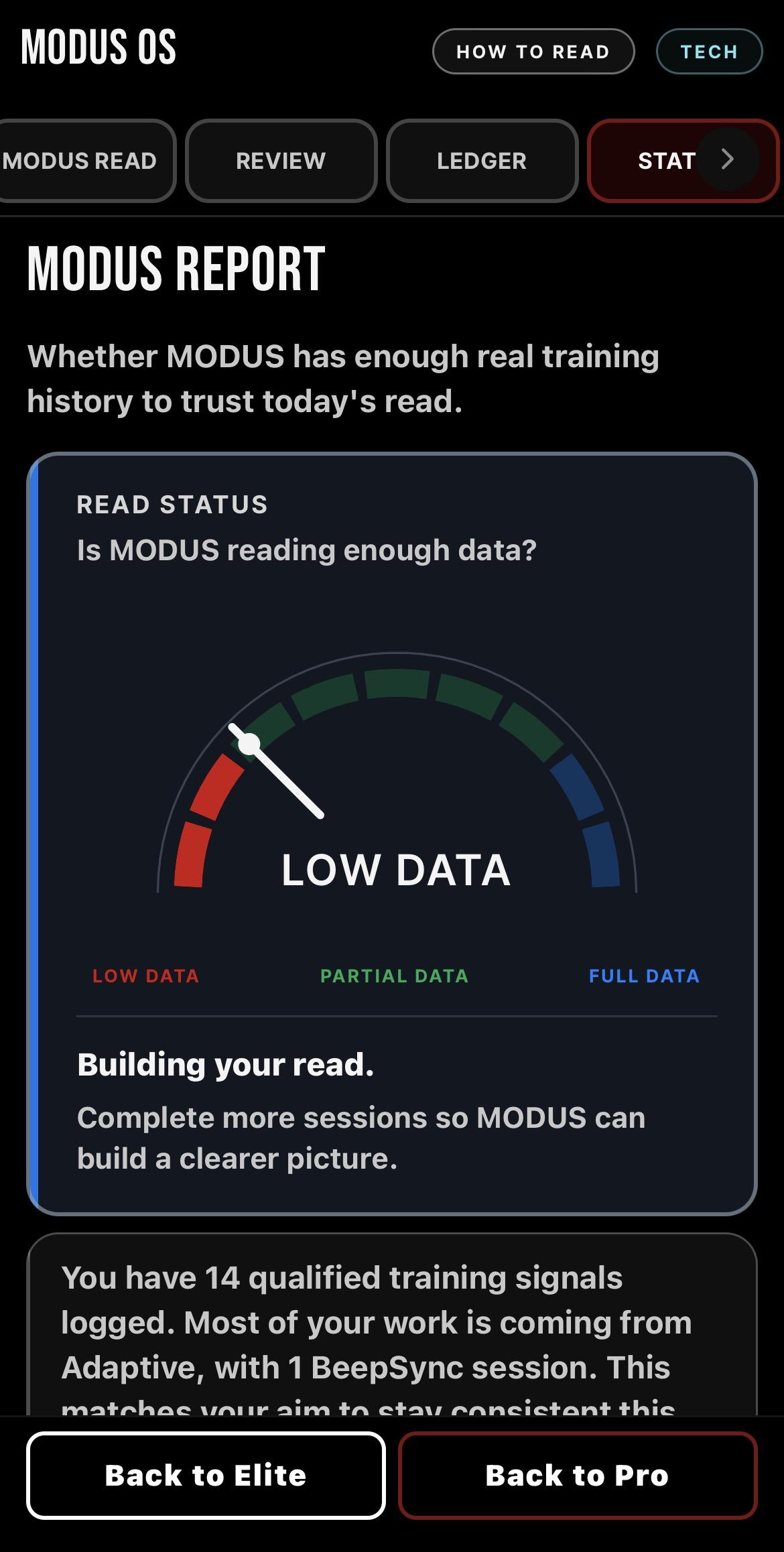
Read Status
MODUS OS SYSTEM JOURNEY
PROFILE -> RATING -> REVIEW -> LEDGER.
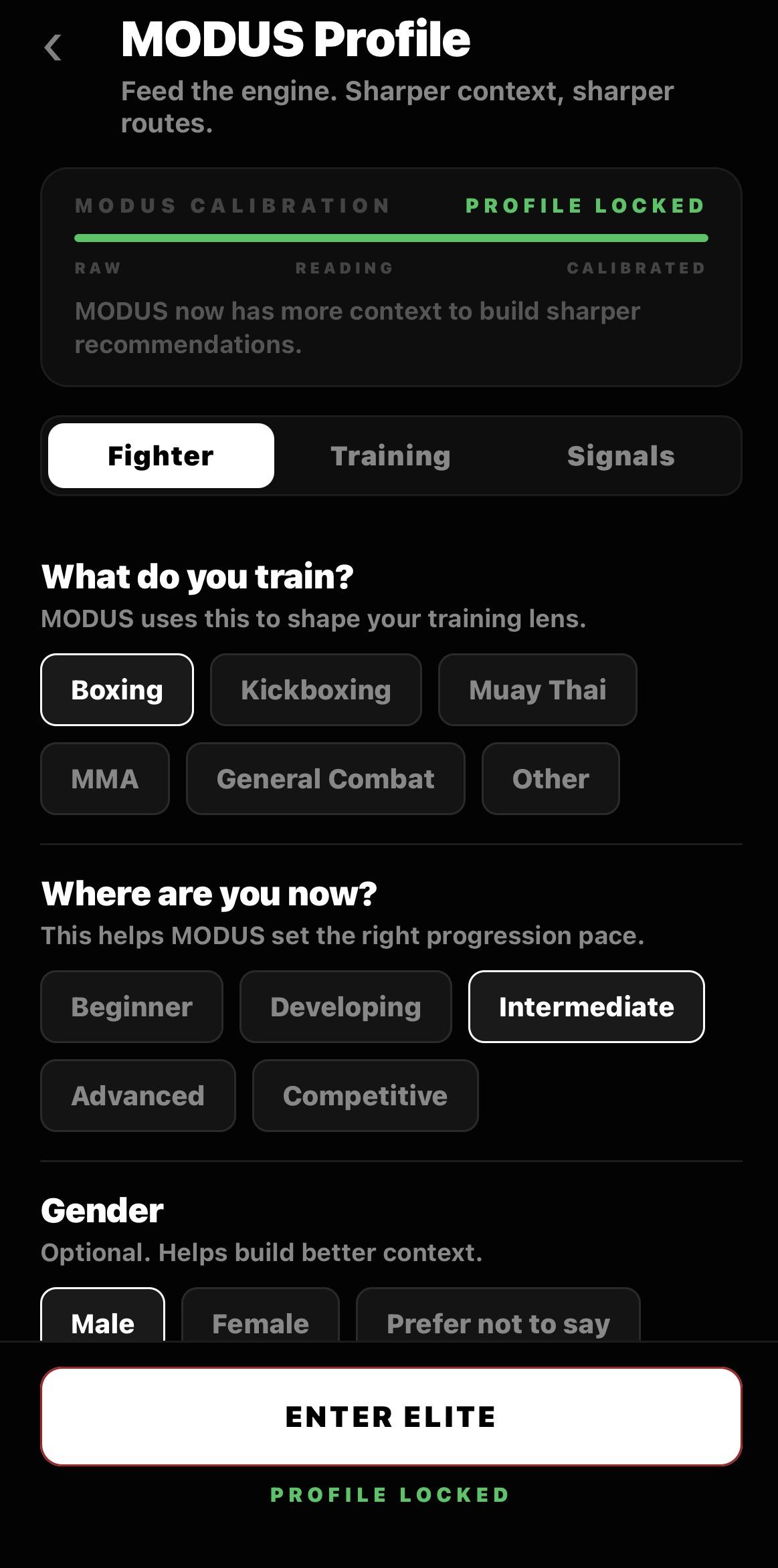
PROFILE - Your foundation
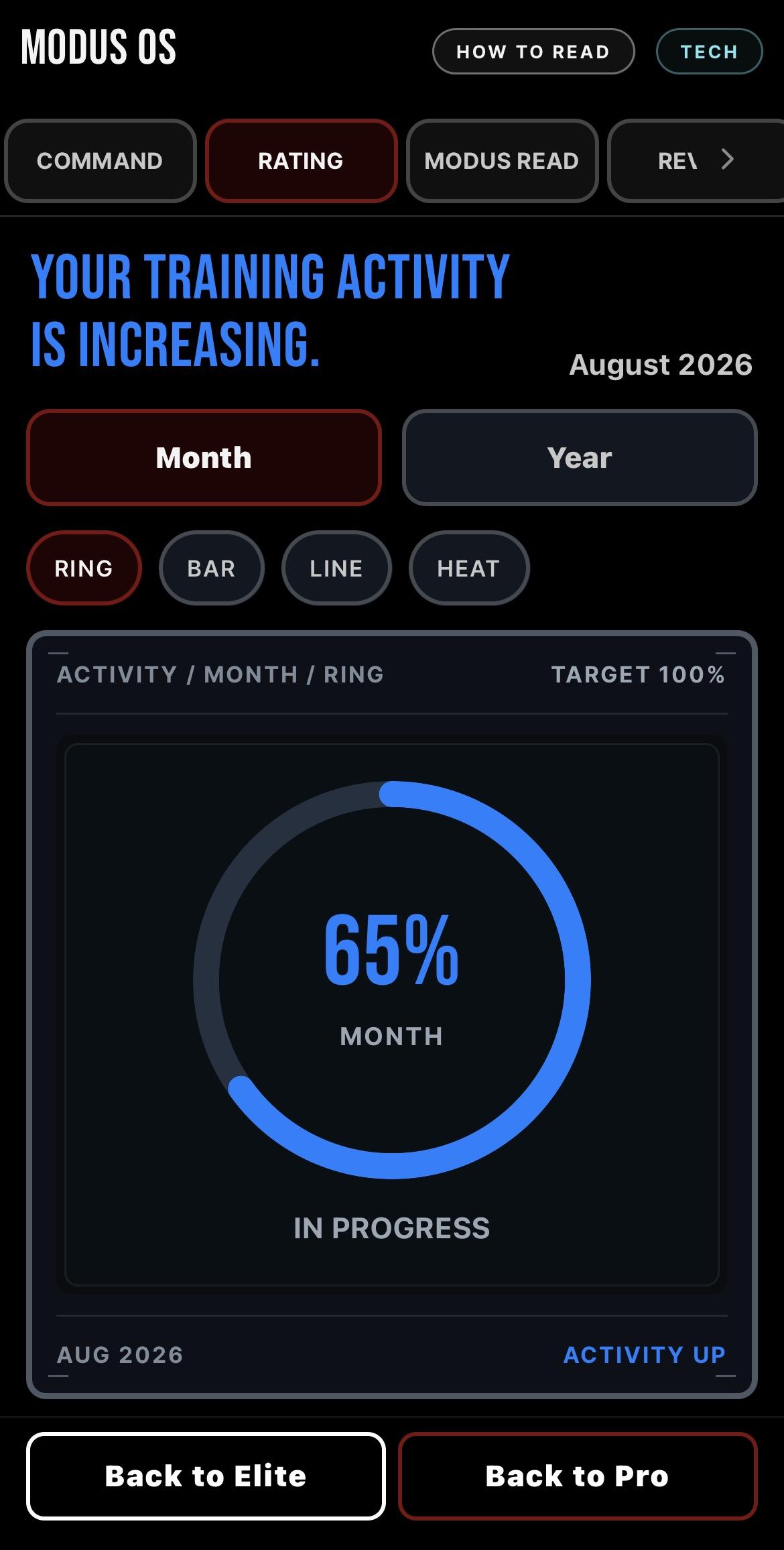
RATING - Training state
REVIEW - What the work shows
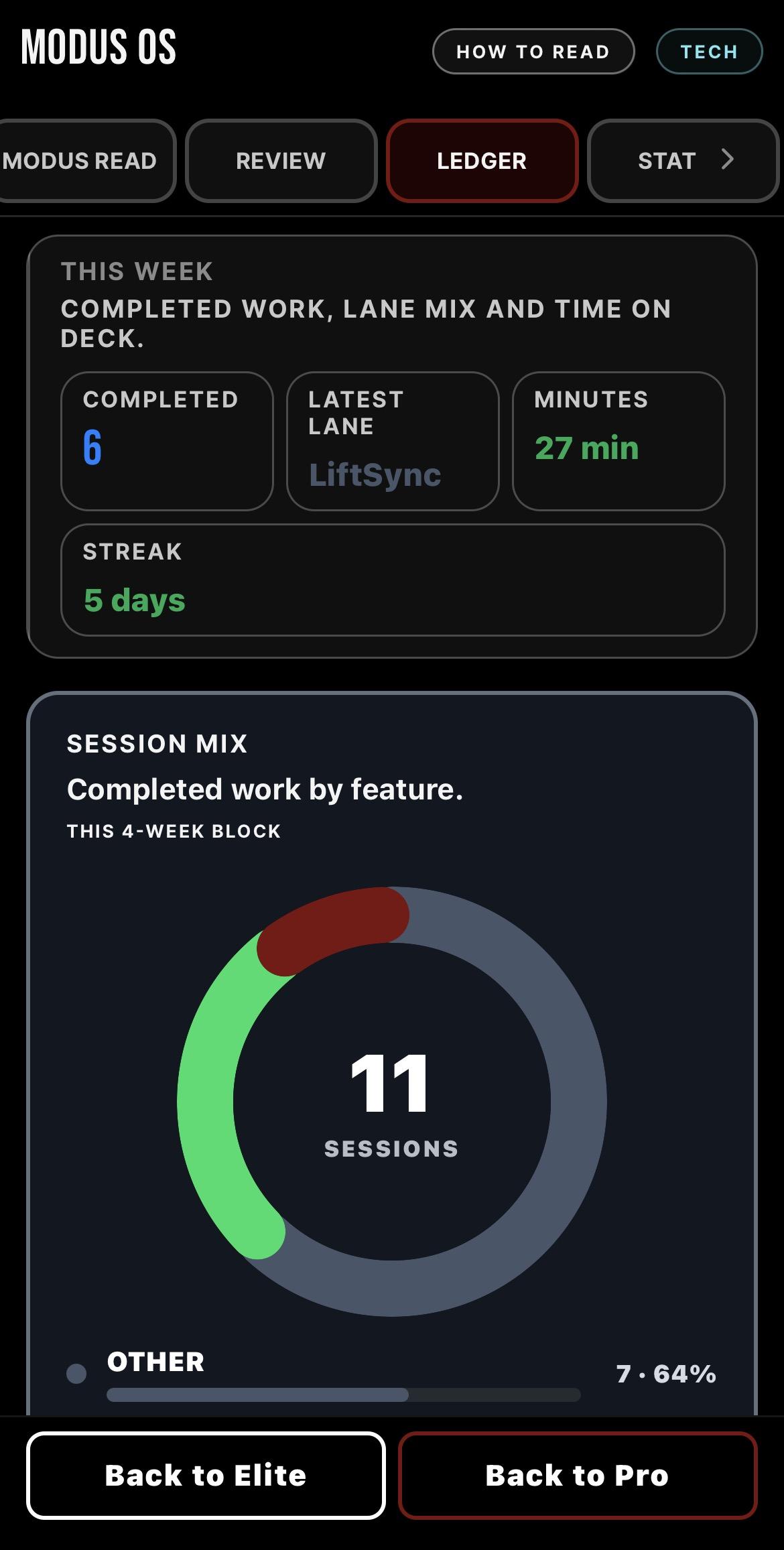
LEDGER - Your training record
MODUS OS IS BUILT INTO BEEPSYNC ELITE
Pro gives you the permanent BeepSync training foundation. Elite adds MODUS OS and deeper training tools on top.
See Elite pricing